
Phone Shop
🔓 How to Unlock Your Verification After Too Many Attempts (Budget SIM – Korea)
Published April 18, 2026
by keasy
If you attempt mobile identity verification too many times in Korea (usually more than 5 failed attempts in one day), your phone number can be temporarily blocked by KMC (Korea Mobile Certification). This commonly affects foreigners using Budget SIMs (알뜰폰) on SKT, KT, or LG U+ networks. When this h
Who This Guide Is For
This guide applies if:
- You are using a Budget SIM (알뜰폰)
- Your verification failed multiple times
- You see a “limit exceeded” or “service blocked” message
- You cannot verify your phone number for apps, payments, or public services
What You Need Before Starting
Make sure you have:
- Your Alien Registration Card (ARC)
- Your Korean phone number (010…)
- Ability to receive SMS messages
- Internet access (mobile or Wi-Fi)
Accuracy matters. Incorrect spelling or formatting will cause failure.
Step-by-Step Unlock Guide
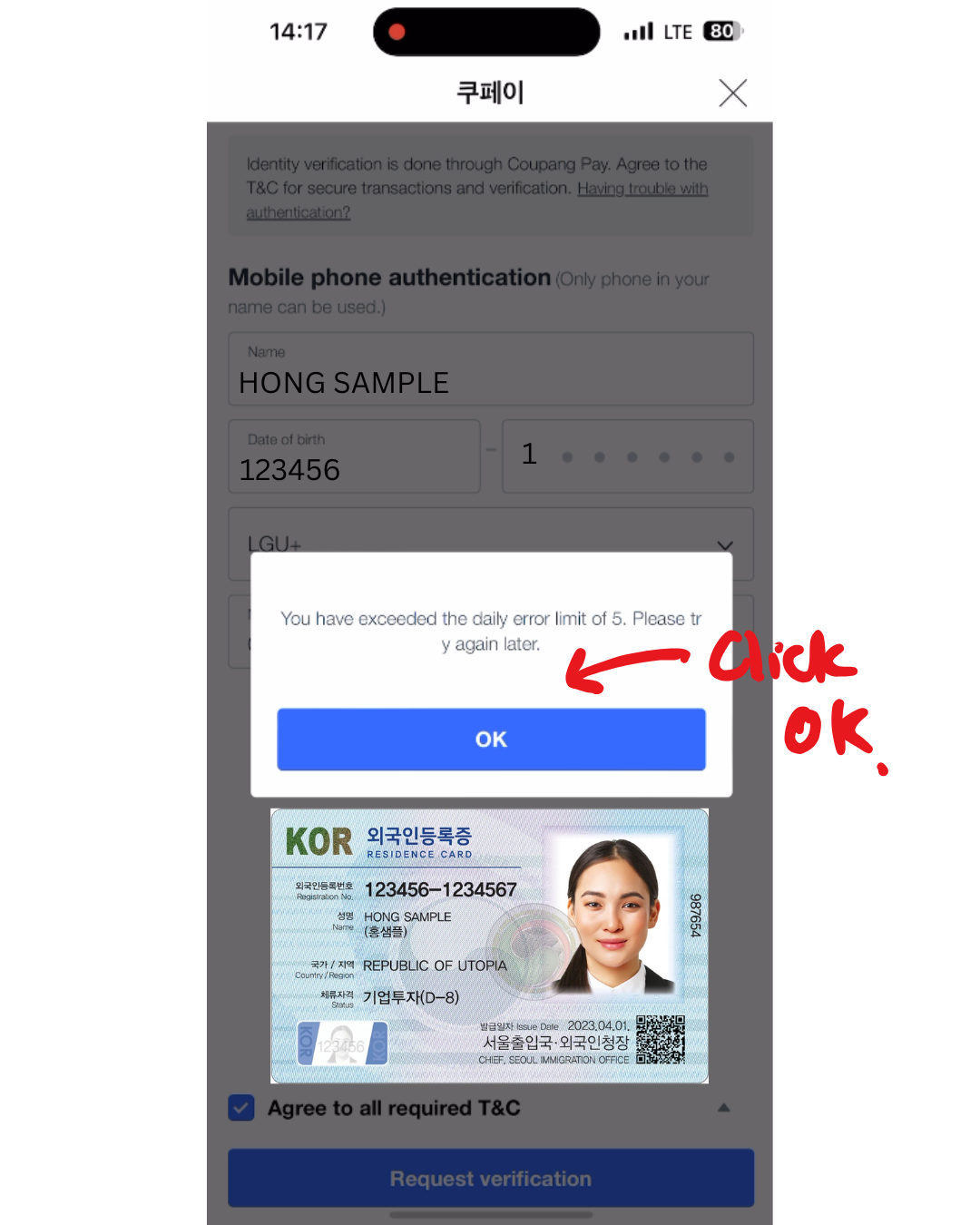
Step 1: Close the Error Message
If you see: “You have exceeded the daily error limit of 5. Please try again later.”
Tap OK to close the message.
Step 2: Open the KMC Unlock Page
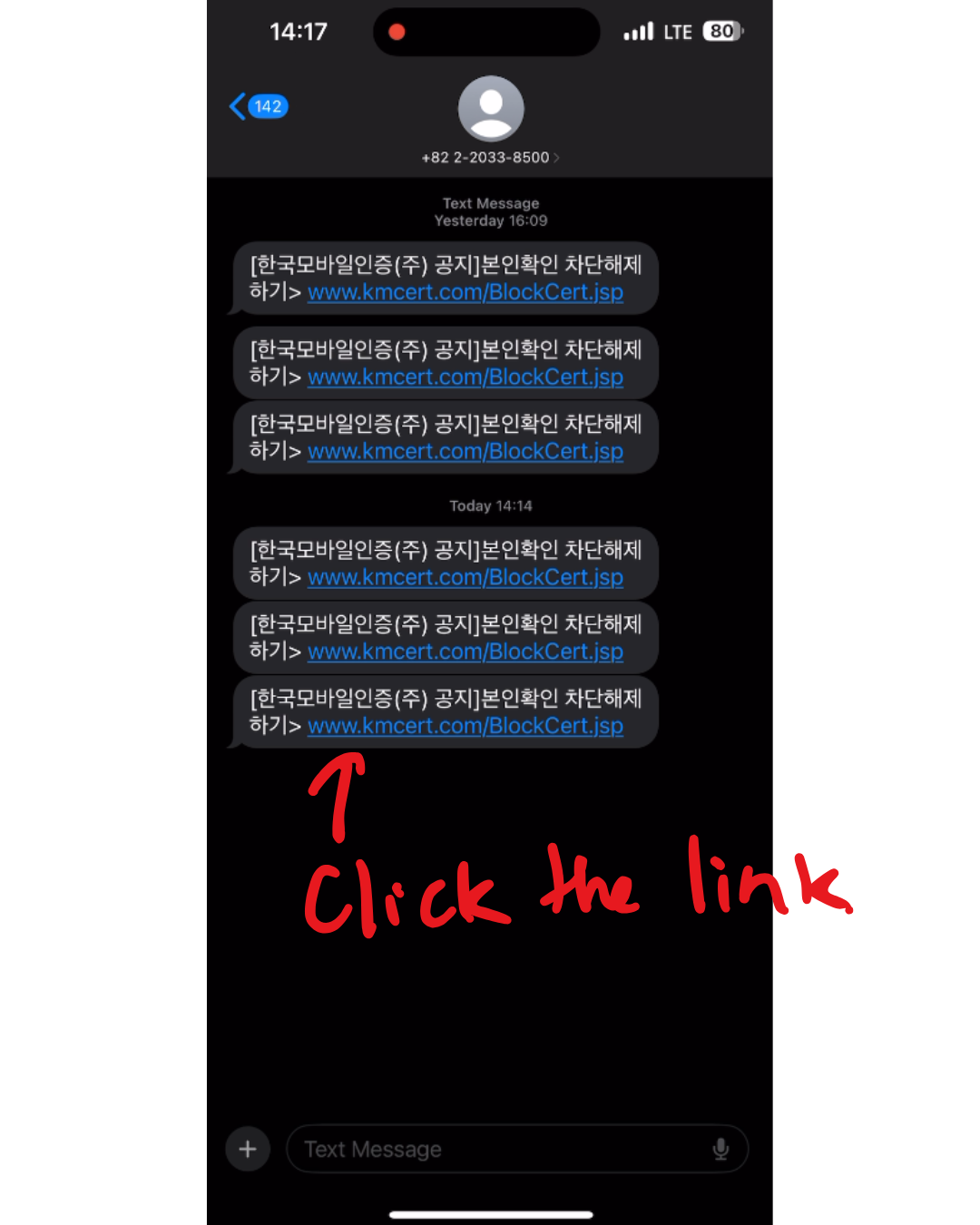
Check your SMS messages. You should receive a message containing this link:
👉 www.kmcert.com/BlockCert.jsp
Tap the link to open the KMC (Korea Mobile Certification) page.
Step 3: Start the Unlock Process
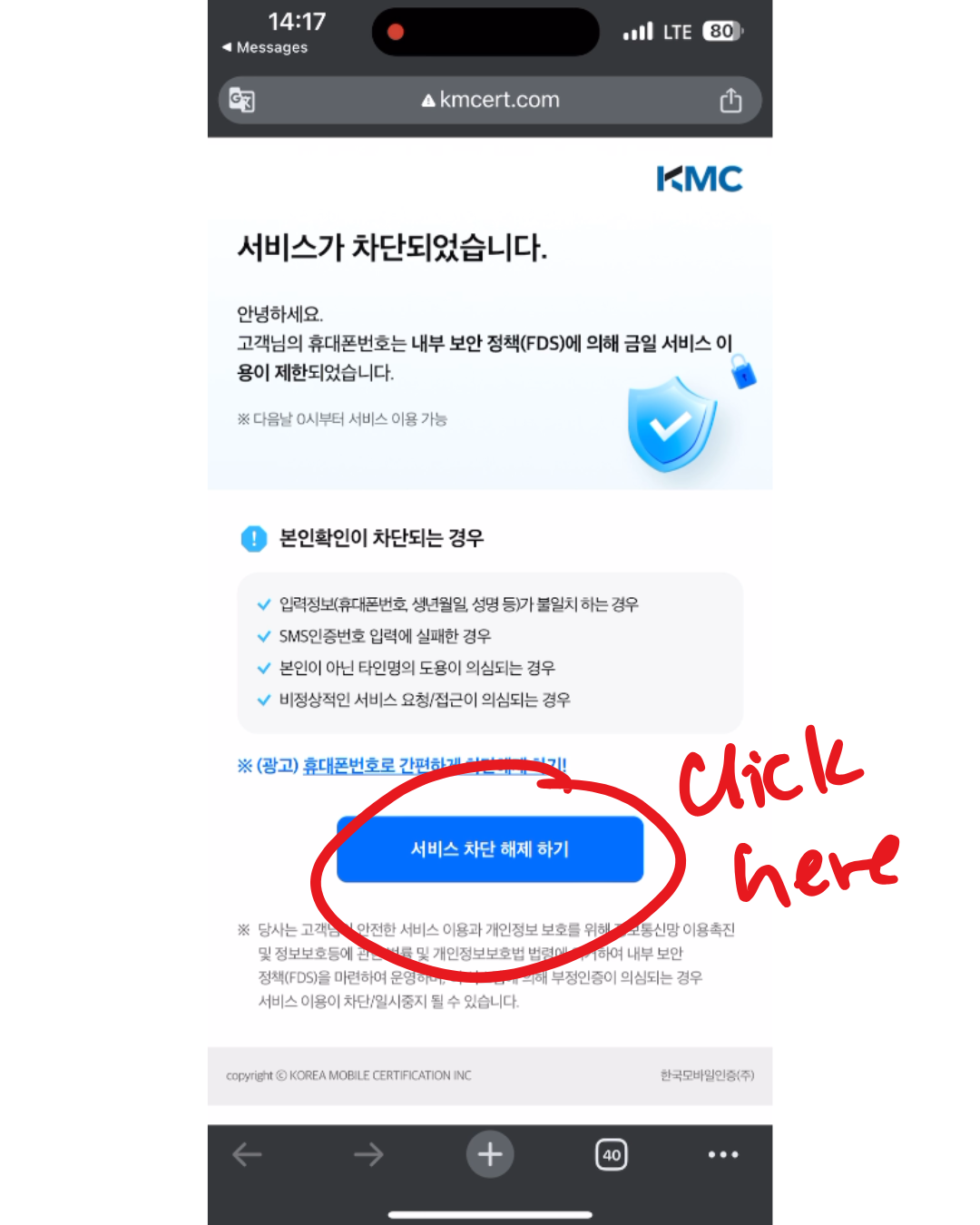
When the page loads and shows:
서비스가 차단되었습니다 (Service has been blocked)
Tap the blue button:
서비스 차단 해제 하기 (Unlock Service Block)
Step 4: Choose Mobile Verification
On the next screen, tap:
휴대폰 본인확인 (Mobile Verification)
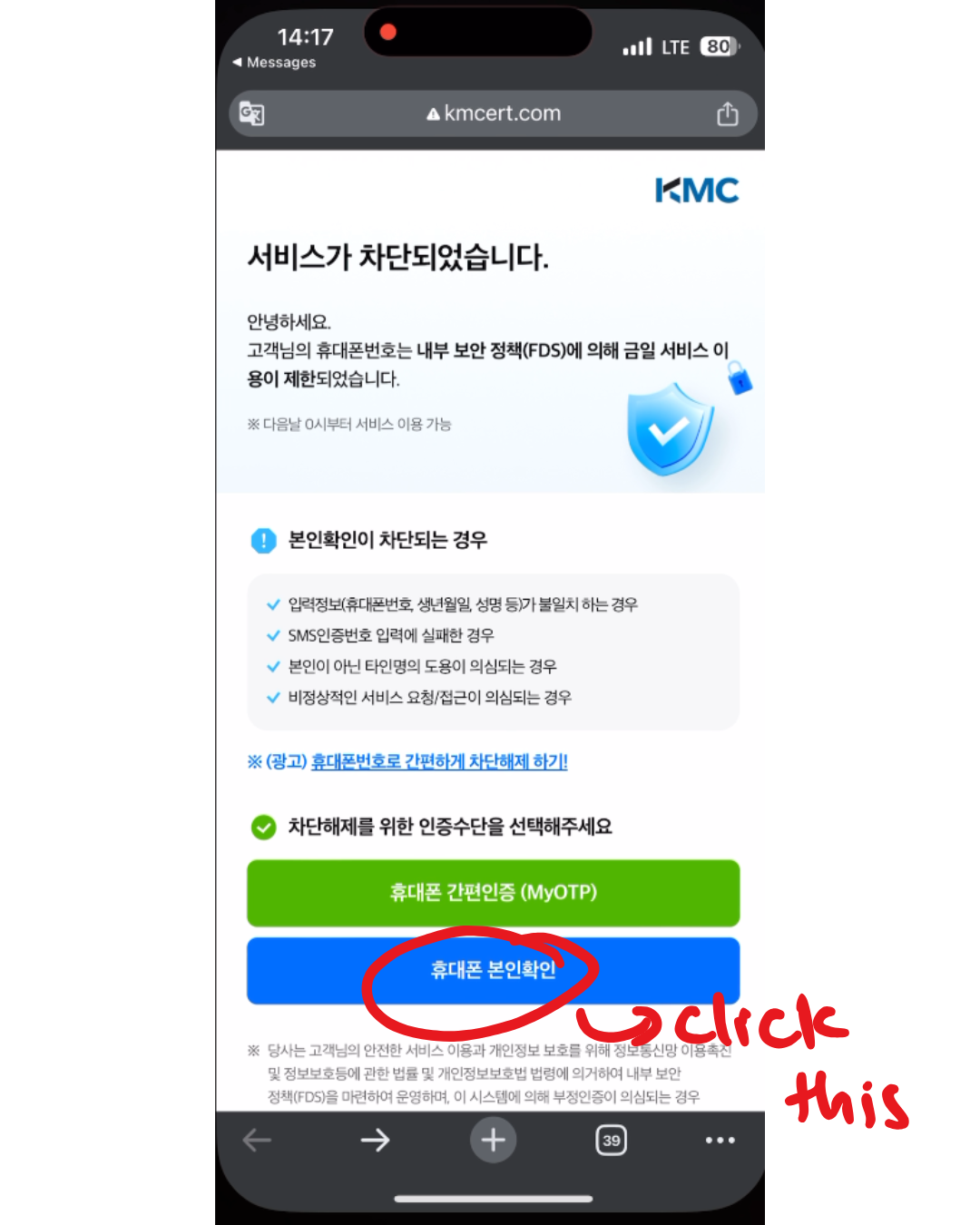
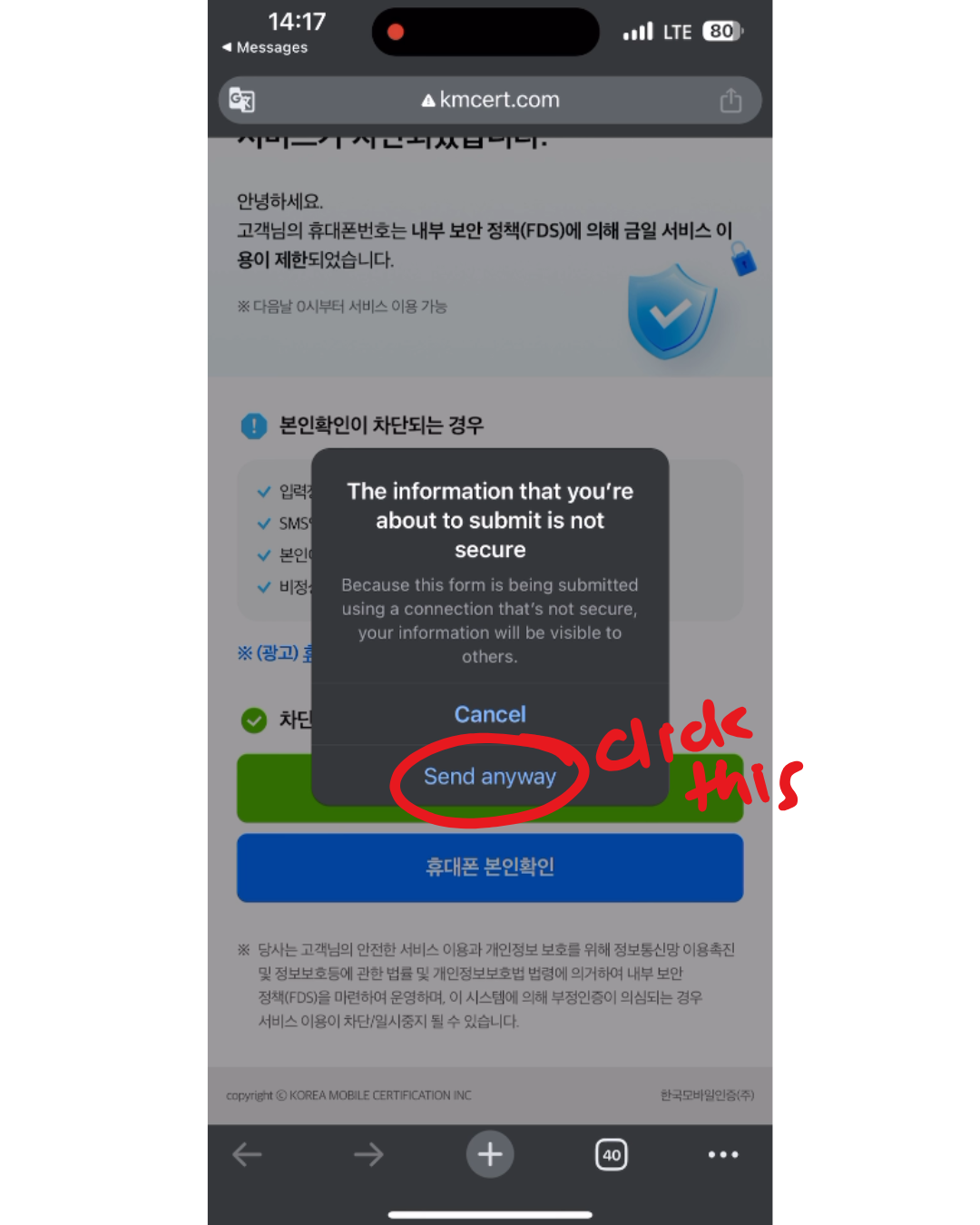
Step 5: Continue Past Security Warning (If Shown)
If your browser shows a warning like:
“The information you’re about to submit is not secure”
Tap Send anyway or Continue to proceed.
This is normal for the KMC page.
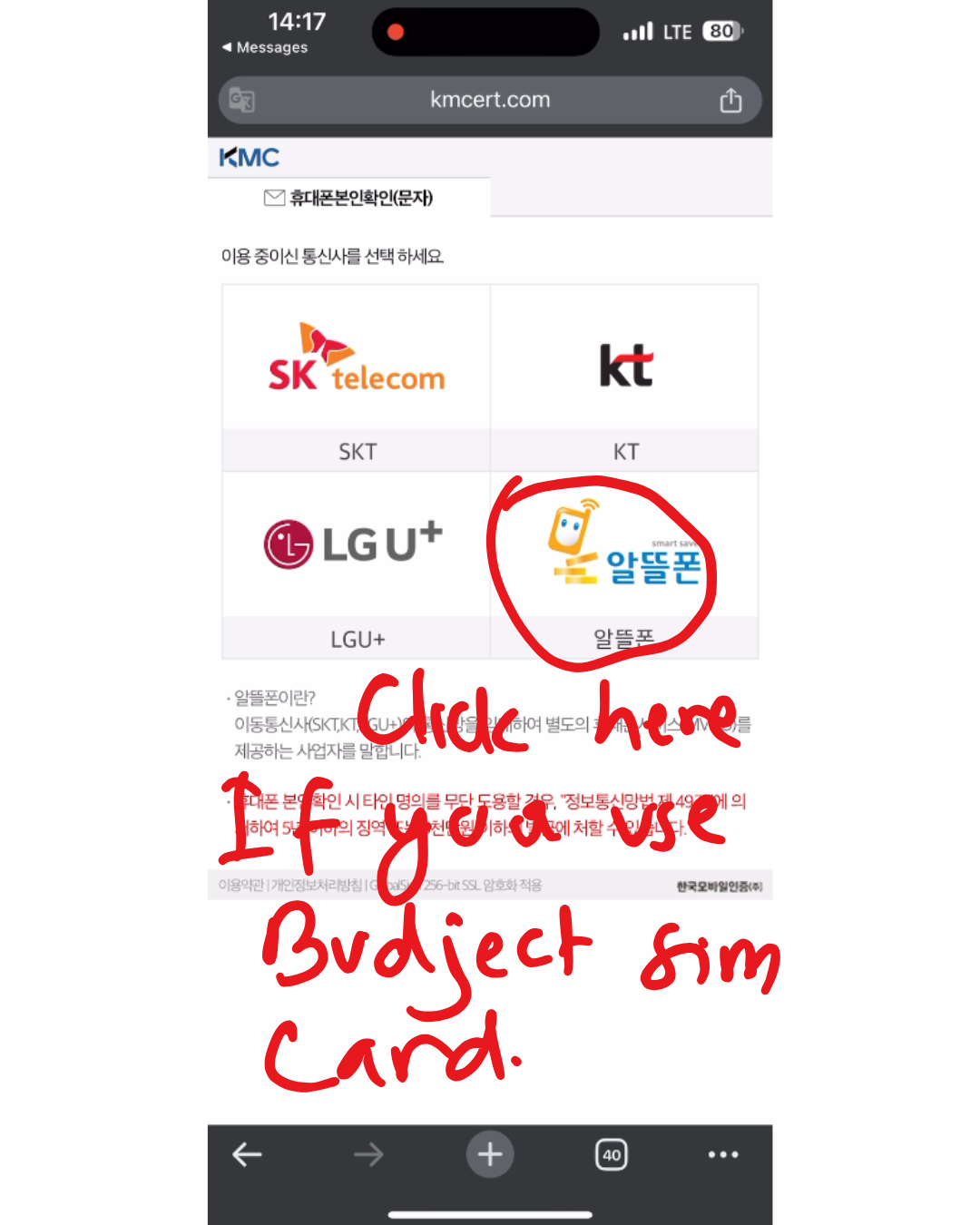
Step 6: Select Budget SIM (Critical Step)
If you are using a Budget SIM:
- Tap 알뜰폰 or MVNO (Budget Phone)
⚠️ Do NOT select SKT, KT, or LG U+ directly unless you are on a major carrier plan.
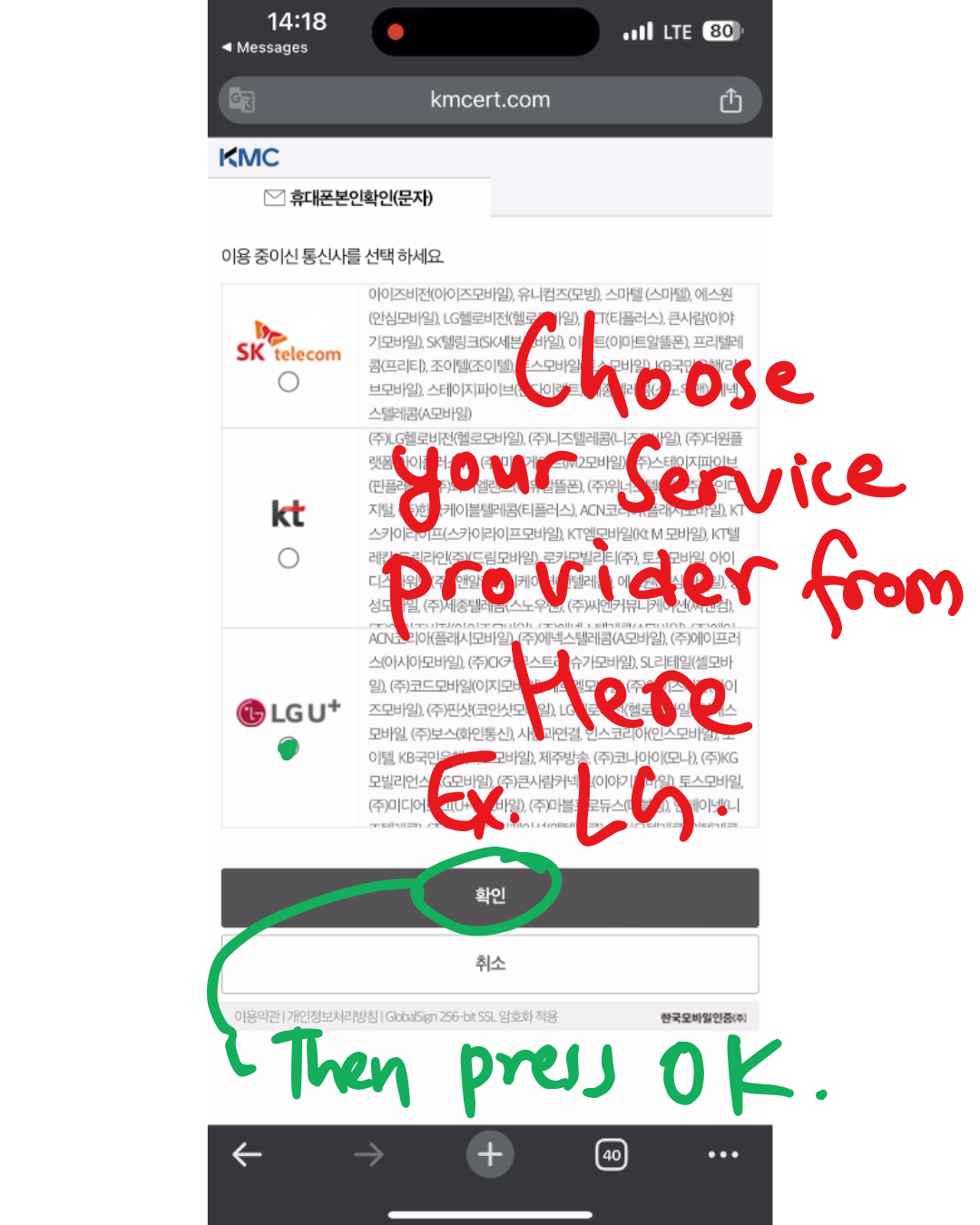
Step 7: Choose Your Actual Provider
From the list, select your real provider name (examples):
- KT MVNO or 알뜰폰 KT
- LG U+ MVNO or 알뜰폰 LG U+
- SKT MVNO or 알뜰폰 SKT
Then tap 확인 (OK).
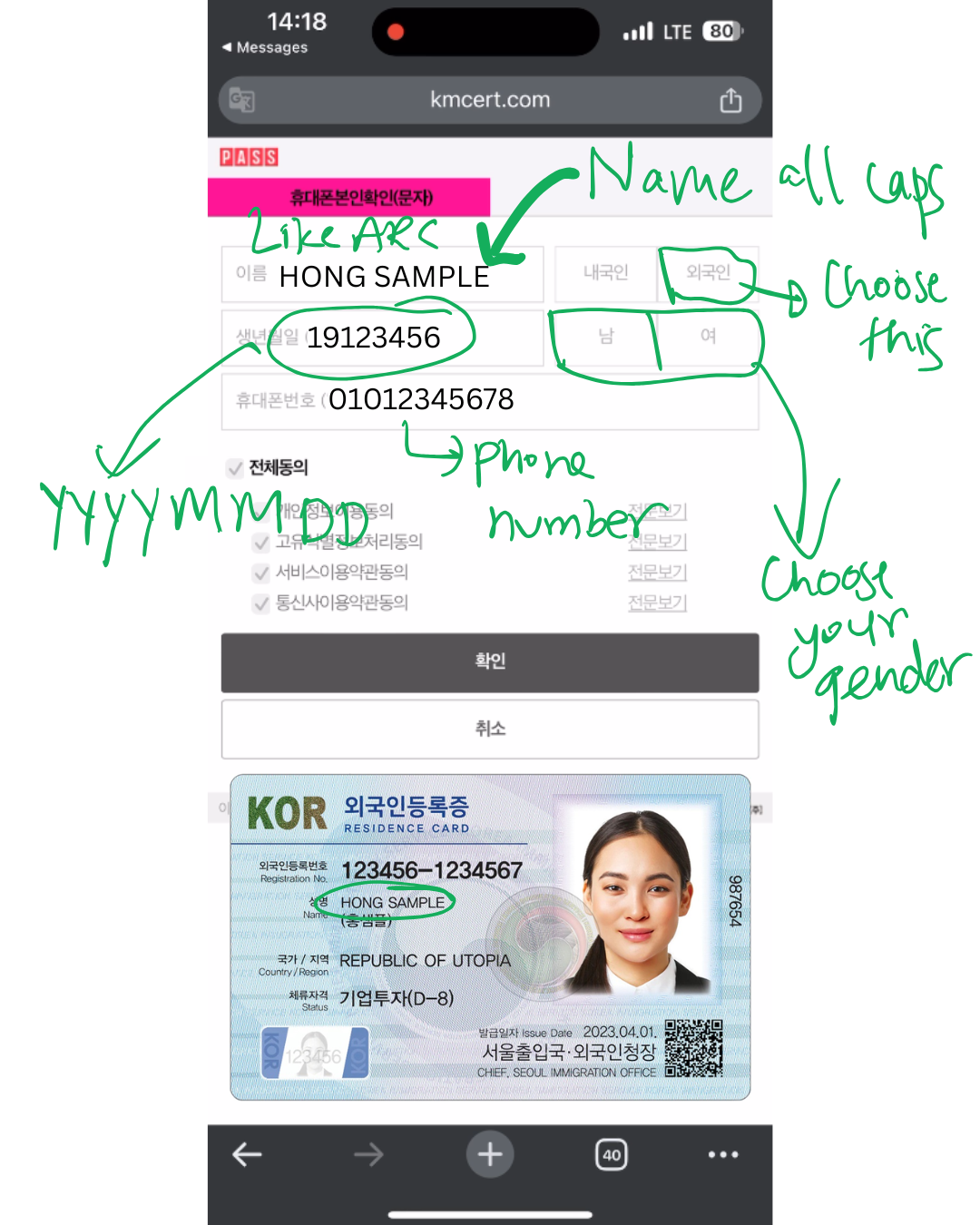
Step 8: Enter Your ARC Information Exactly
Fill in the form exactly as written on your ARC:
- Name: ALL CAPITAL LETTERS
- Example:
HONG SAMPLE (ALL CAPITAL, EXACTLY HOW ITS WRITTEN IN ARC CARD)
- Example:
- Date of Birth: YYYYMMDD
- Example:
19901215
- Example:
- Select 외국인 (Foreigner)
- Select gender: 남 (Male) or 여 (Female)
- Enter your phone number:
010XXXXXXXX
Do not add spaces or change spelling.
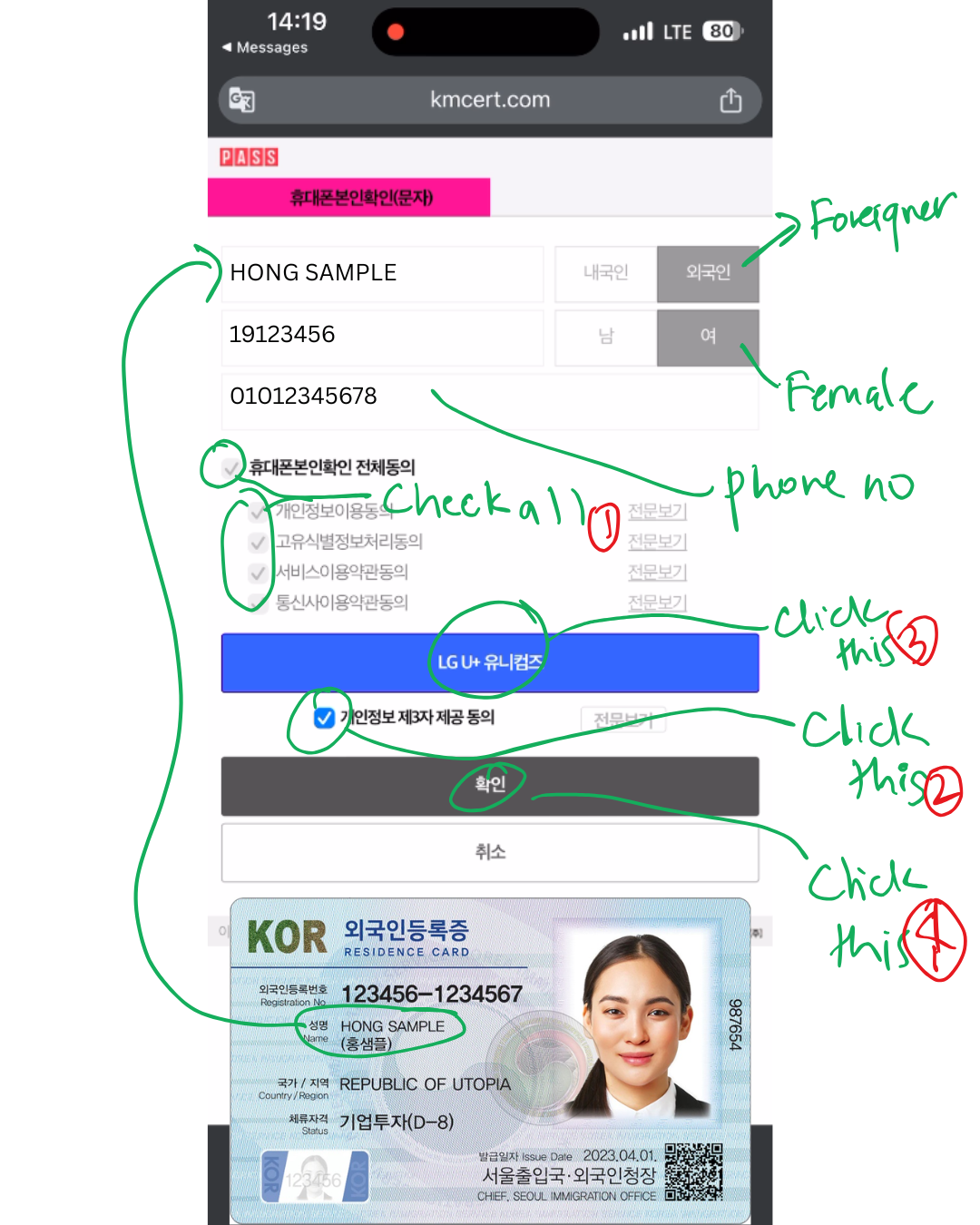
Step 9: Agree to All Terms
- Check all agreement boxes
- Tap the blue carrier button (provider name)
- Check the final small agreement box
- Tap 확인 (OK)
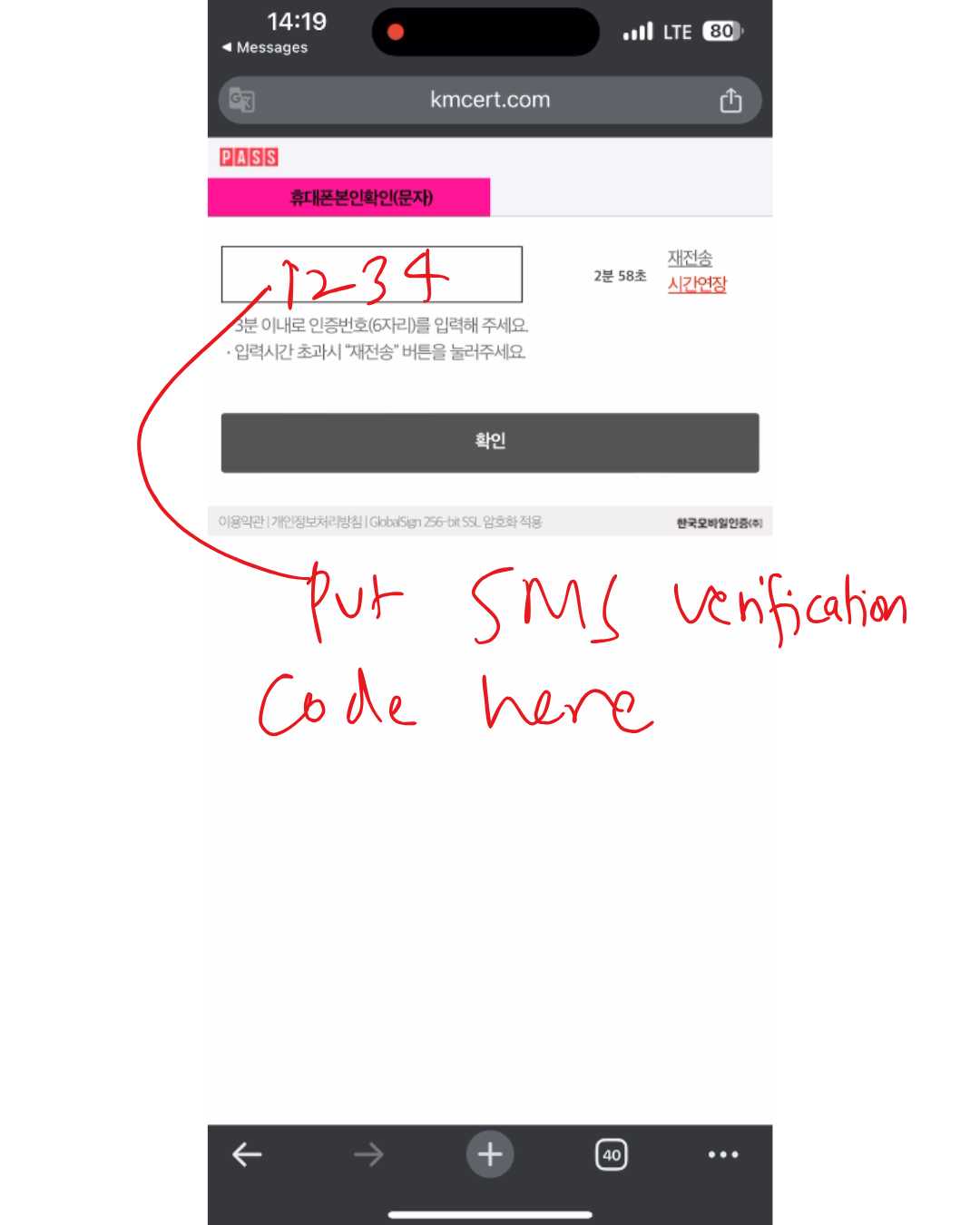
Step 10: Enter the SMS Code
You will receive a 6-digit SMS code.
- Enter the code
- Tap 확인 (Confirm)
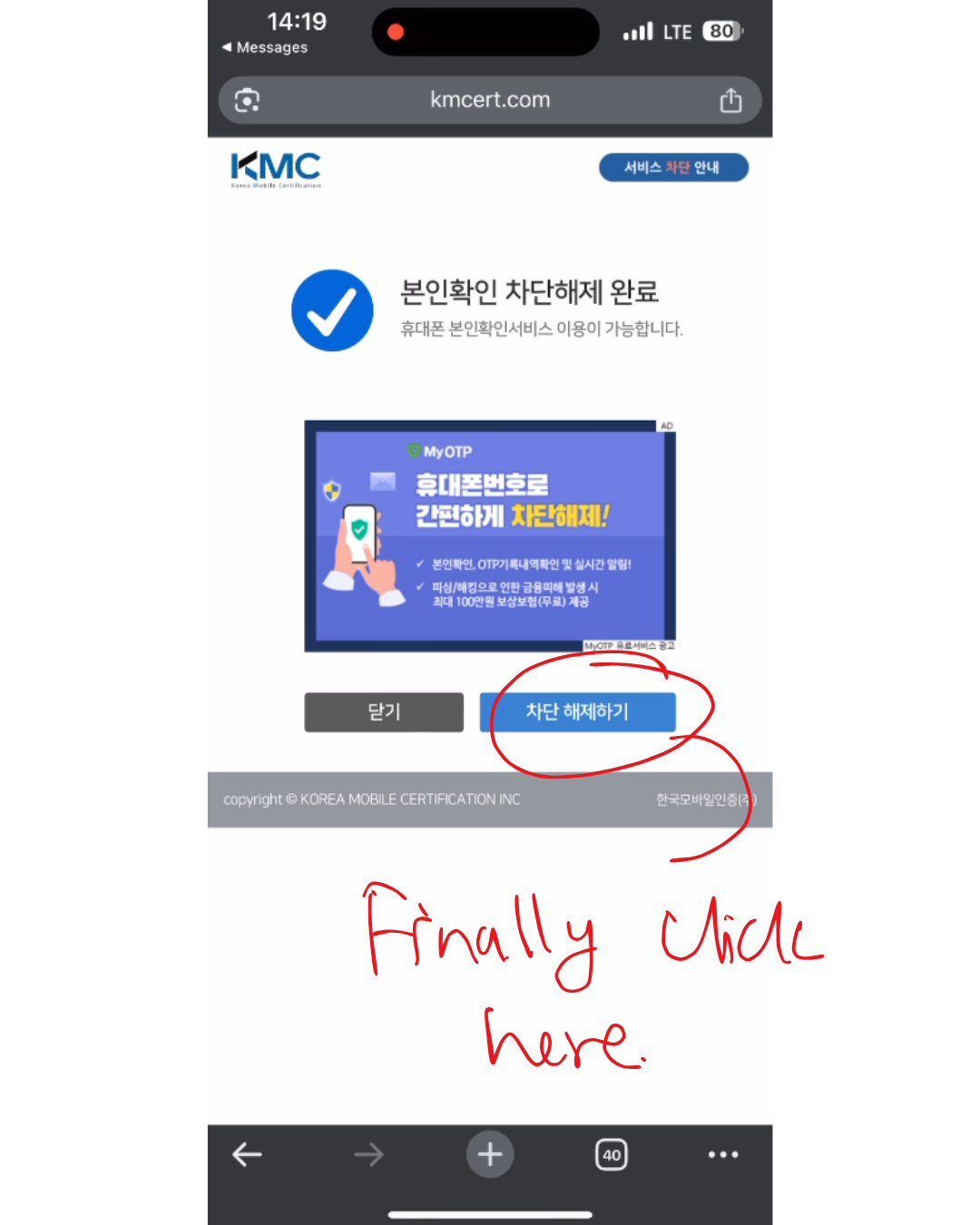
Step 11: Unlock the Block
After successful verification, you’ll see a confirmation screen.
Tap:
차단 해제하기 (Unlock Block)
🎉 Your verification lo22ck is now removed.
Troubleshooting Tips
💡 Tip
- If no SMS arrives, confirm your SIM plan is active and can receive texts
- If the page fails to load, open this link manually:
www.kmcert.com/BlockCert.jsp - If the error persists, wait 24 hours and repeat the process
- Always type your name exactly as shown on your ARC (uppercase, correct spacing)
Final Notes
KMC verification blocks are common and not permanent. They exist to prevent abuse, but they also affect foreigners more often especially Budget SIM users.
Once unlocked, you can retry verification for apps, payments, transportation services, and government platforms without further issues.
This is a one-time fix that saves hours of frustration later.