
Phone Shop
Verify Your Phone Number in Korea (MVNO/아뜰폰/Budget SIM Users)
Published April 18, 2026
by keasy
If you’re using a budget SIM card (알뜰폰) under SKT, KT, or LG U+, phone number verification in Korea can feel confusing at first. Many services require identity verification through the PASS system, and selecting the wrong carrier option is the most common reason verification fails. This guide walks
When You Need This
You’ll encounter phone verification when:
- Signing up for Naver, Kakao, Coupang
- Using government or public services
- Registering for apps, banks, delivery platforms, or utilities
Before You Start
Make sure you have:
- An active budget SIM (알뜰폰)
- A phone number that can receive SMS
- Your Alien Registration Card (ARC)
Your phone number must be registered under your ARC details.
Step-by-Step Verification Guide
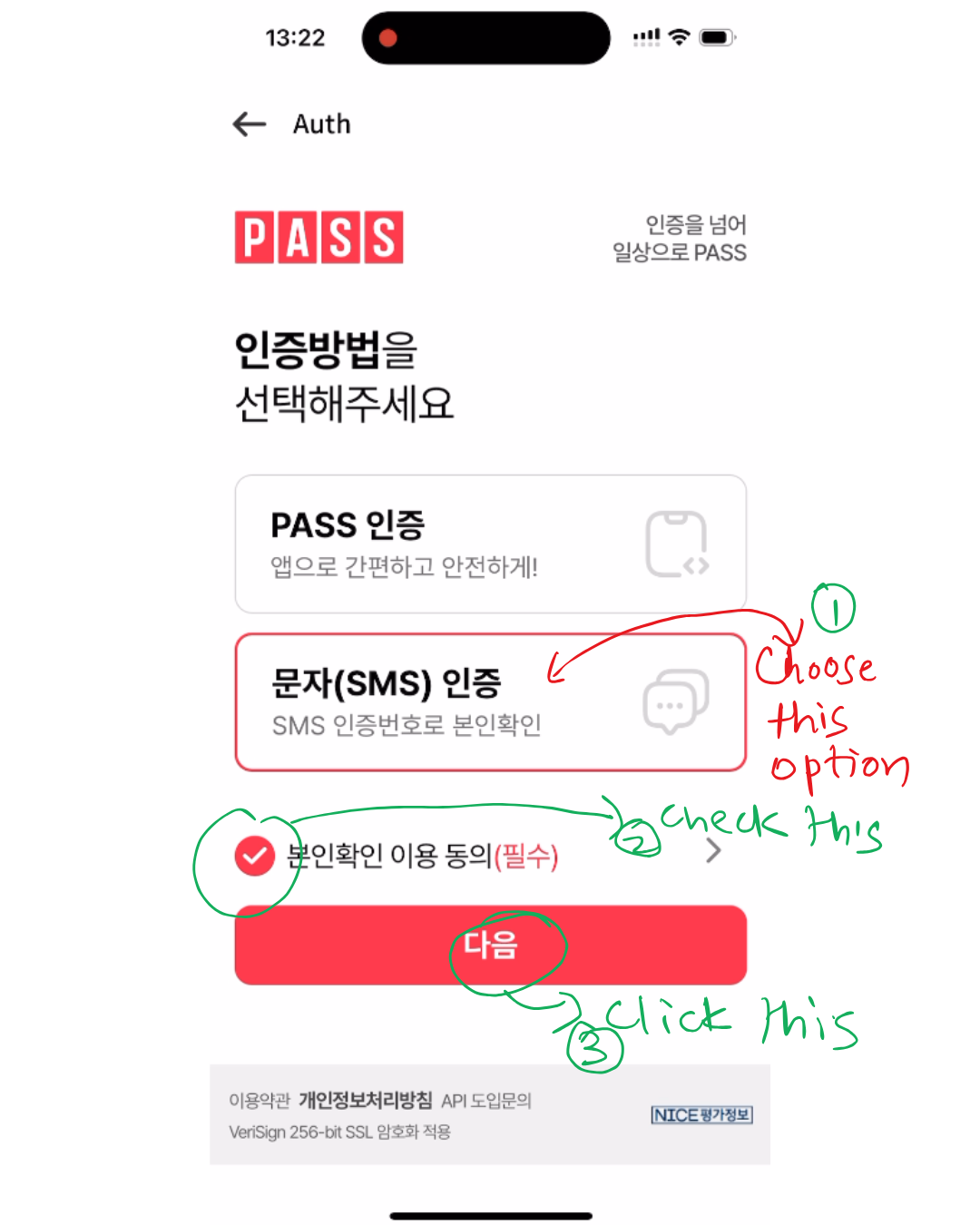
Step 1: Choose SMS Verification
On the verification screen:
- Select 문자(SMS) 인증 (SMS Verification)
- Check the required consent box 본인확인 이용 동의 (필수)
- Tap 다음 (Next)
This ensures the system uses SMS instead of app-based or certificate-based methods.
Step 2: Select the Correct Telecom Provider (Critical Step)
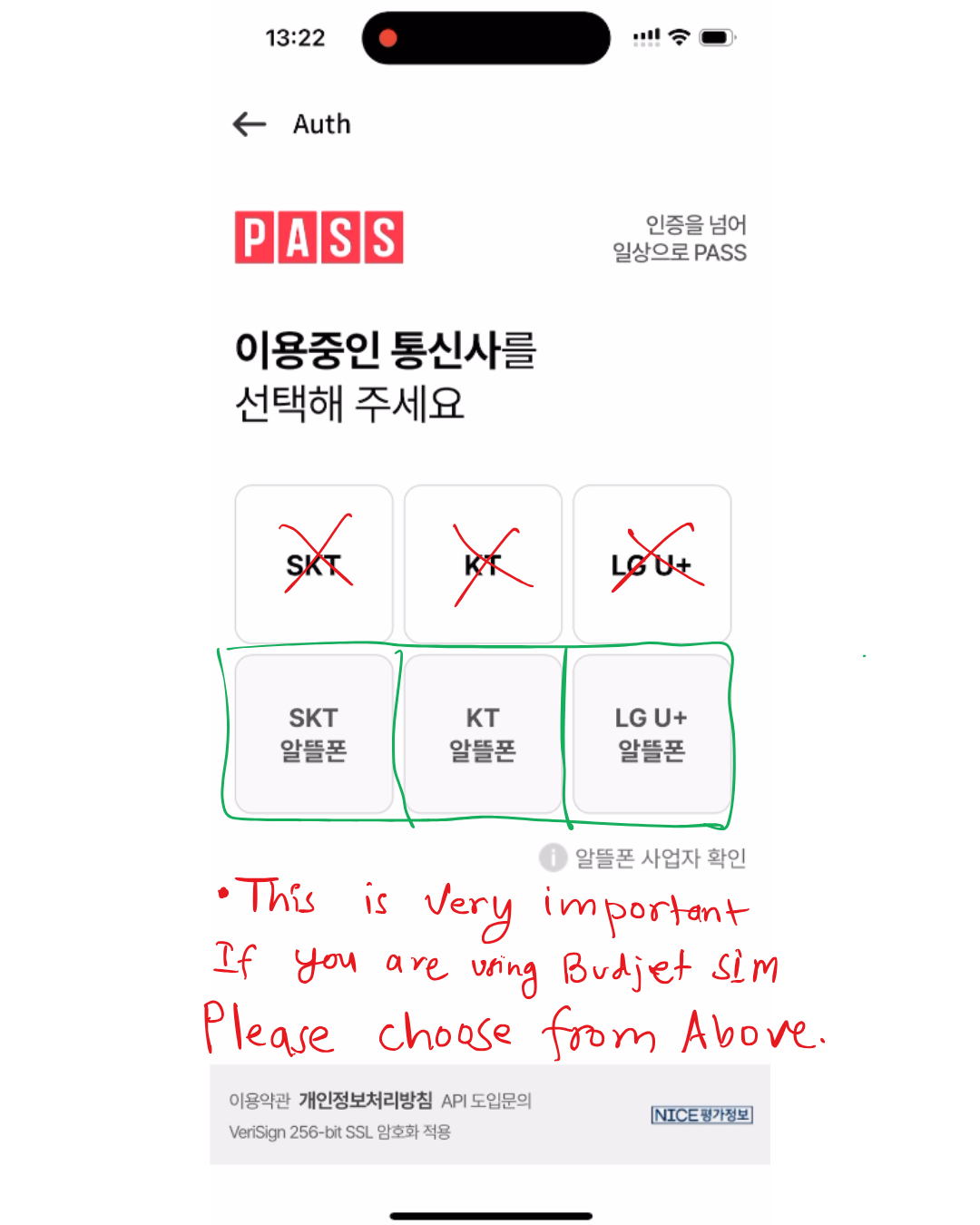
⚠️ This step determines success or failure.
If you are using a budget SIM, scroll down and select only one of the following:
- SKT 알뜰폰
- KT 알뜰폰
- LG U+ 알뜰폰
❌ Do not select:
- SKT
- KT
- LG U+
Those are for main carrier plans only and will cause verification to fail.
Step 3: Enter Your Identification Details
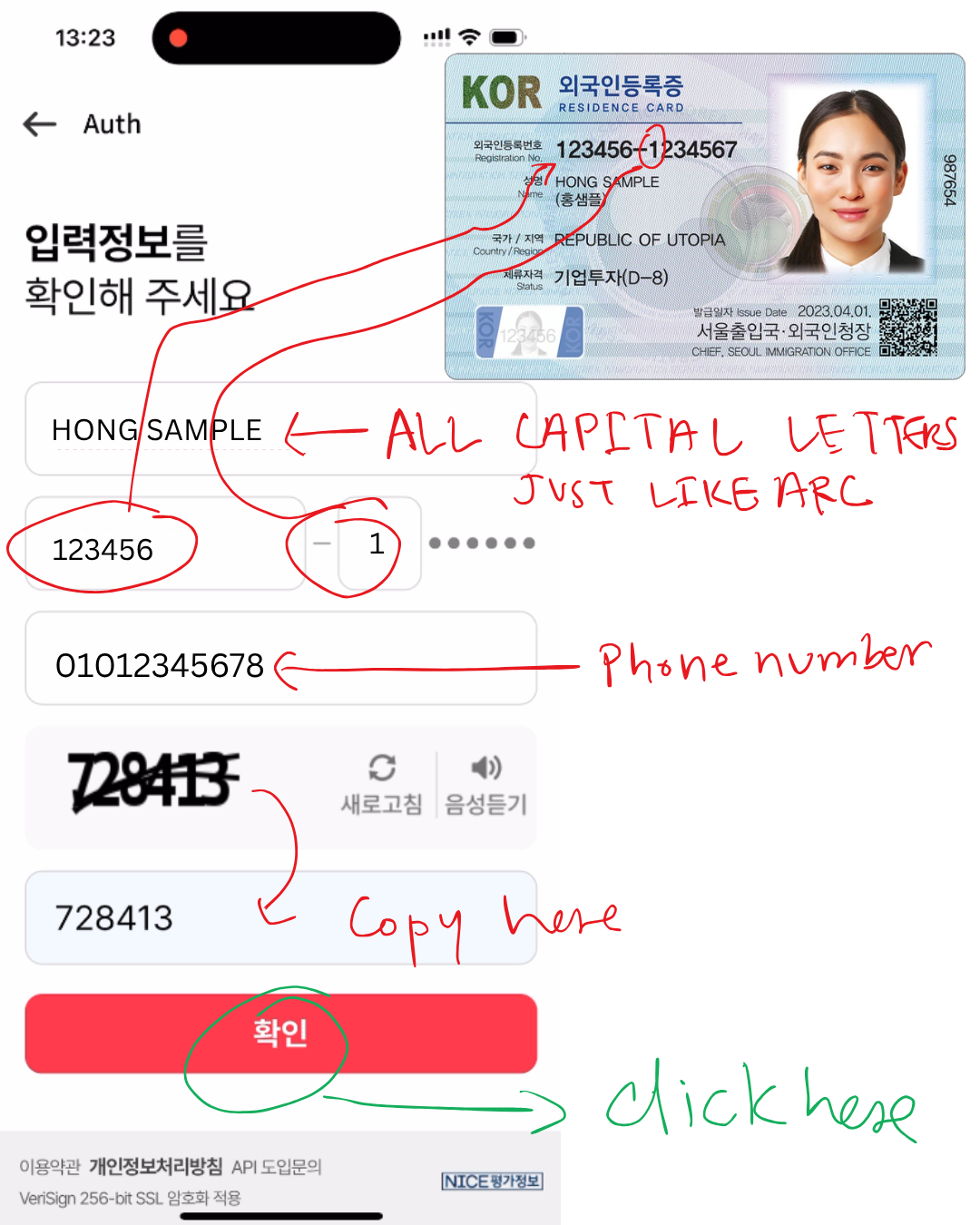
Enter your information exactly as shown on your ARC:
- Name: ALL CAPITAL LETTERS (e.g., HONG SAMPLE)
- ARC Number: First 6 digits + first digit of the second part
(Example: 123456-1) - Phone Number: 010-XXXX-XXXX
- Captcha Code: Enter the displayed security code
Tap 확인 (Confirm) to proceed.
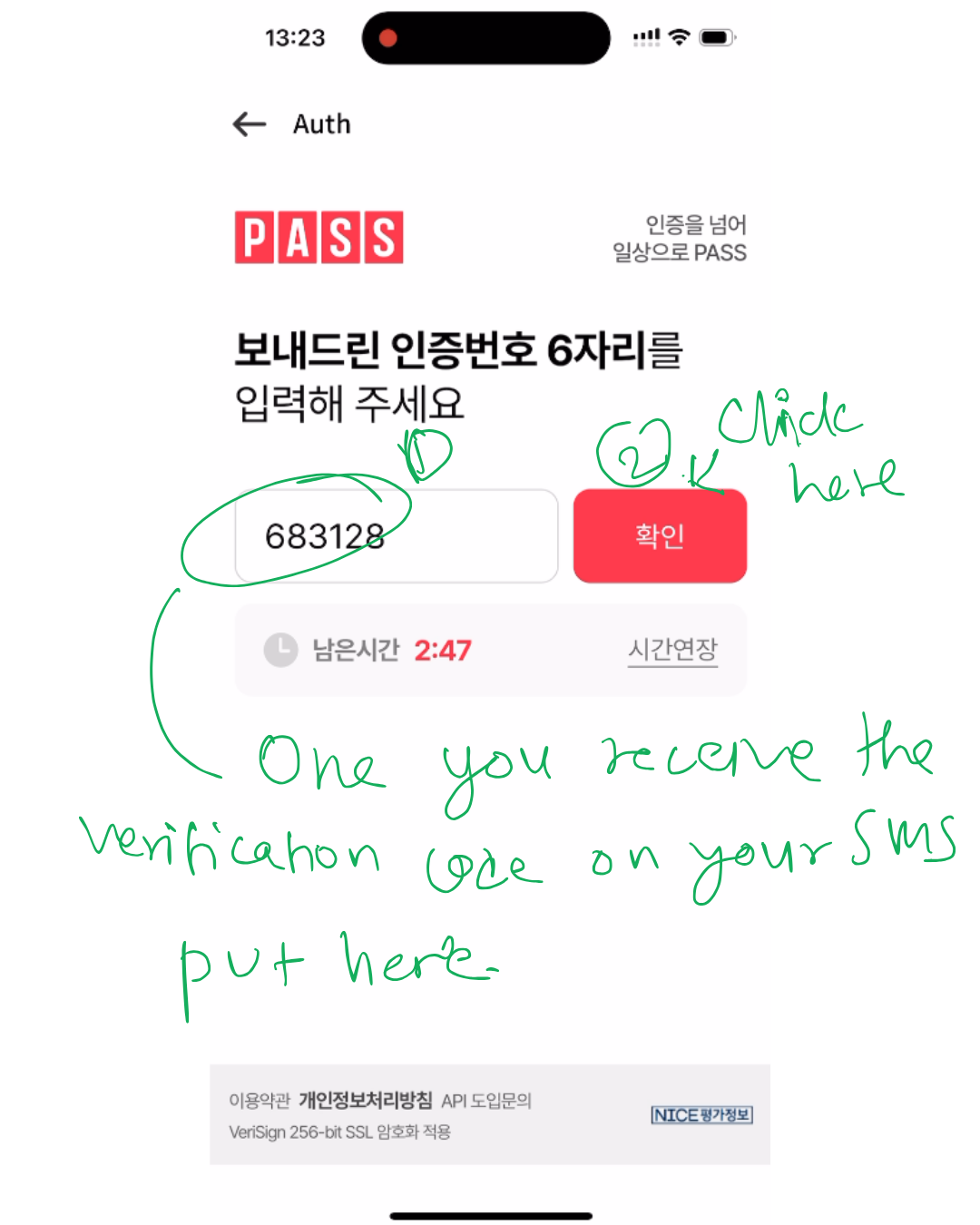
Step 4: Enter the SMS Verification Code
- You’ll receive a 6-digit SMS code
- Enter the code
- Tap 확인 (Confirm)
Once confirmed, verification is complete.
Verification Complete
Your phone number is now successfully verified through the PASS system. You can continue registering, logging in, or completing identity checks on any Korean website or app that requires phone authentication.
Final Take
Phone verification in Korea works smoothly once you understand the system. For MVNO users, success depends on choosing the correct carrier option and matching ARC details precisely.
You must be over 19 years old to use mobile verification in South Korea.
This is a one-minute process once done correctly—and unlocks access to most essential digital services in Korea.
Troubleshooting Tips
💡 If verification fails:
- Confirm your SIM is active and can receive SMS
- Double-check that you selected 알뜰폰, not the main carrier
- Ensure your name matches your ARC exactly (capital letters, spacing)
- If SMS doesn’t arrive, wait 1–2 minutes and tap Resend