
App
PCC Code – How to Get It in South Korea (Foreigner Guide)
Published April 18, 2026
by keasy
A Personal Customs Clearance Code (PCCC) is a mandatory 13-digit identifier issued by the Korea Customs Service. It is required whenever you order products from overseas websites and ship them into South Korea. Without a PCC Code: Your package may be delayed Customs clearance can fail Items may
Critical Requirement (Read First)
⚠️ Your phone number MUST be registered from your PASSPORT → ARC (Alien Registration Card).
South Korea only recognizes ARC-based identity verification for online government services.
If your phone number is not linked to your ARC:
- Mobile verification will fail
- PCC issuance will be blocked
What You Need Before You Start
- Alien Registration Card (ARC)
- Korean phone number (010…)
- Phone number linked to ARC
- Email address
- Korean residential address
Step-by-Step PCC Code Application Guide
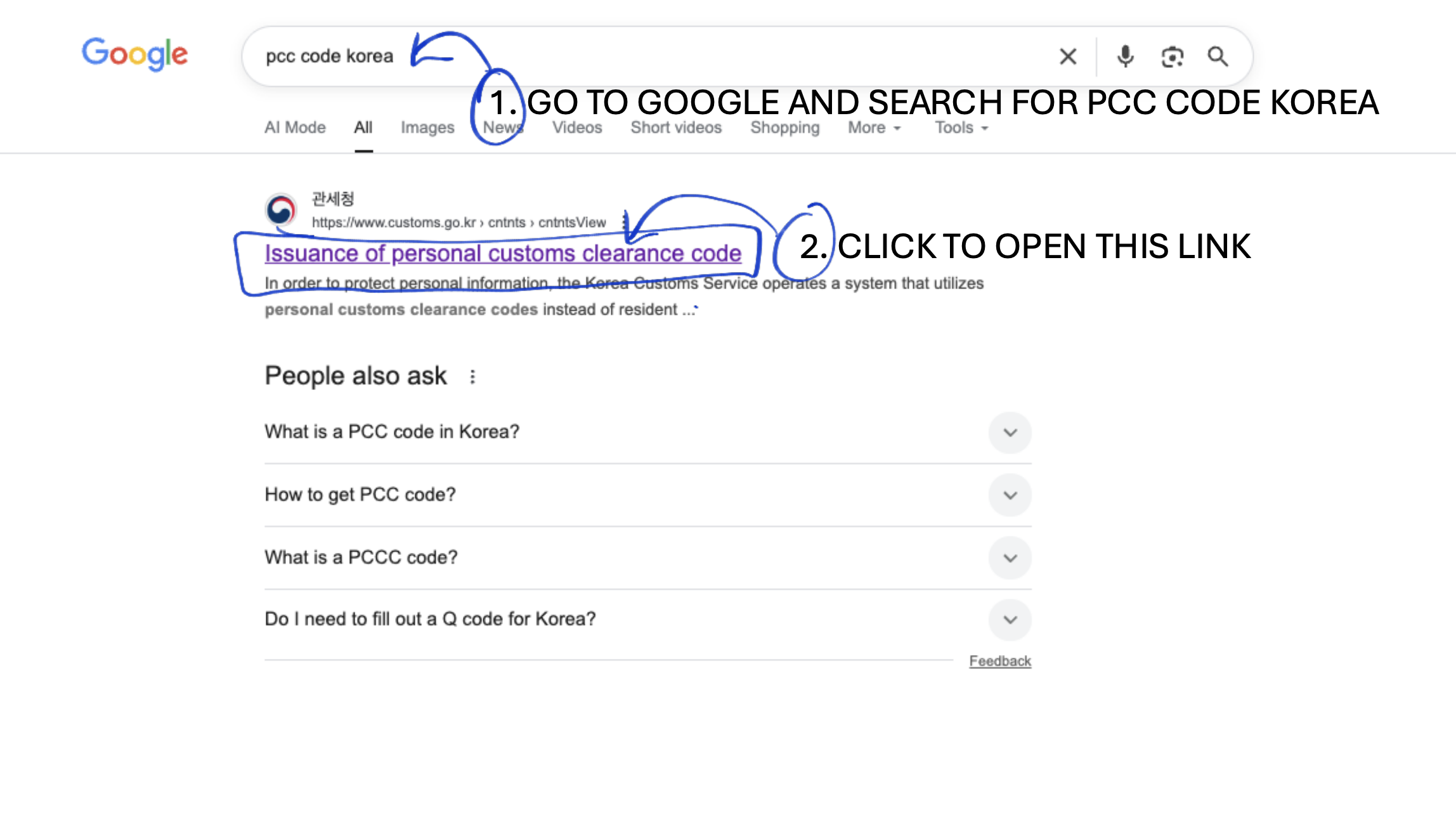
Step 1: Access the Official Website
- Open Google
- Search: “PCC code Korea”
- Click the official result titled “Issuance of Personal Customs Clearance Code” (Korea Customs Service)
https://www.customs.go.kr/english/cm/cntnts/cntntsView.do?mi=10801&cntntsId=5502
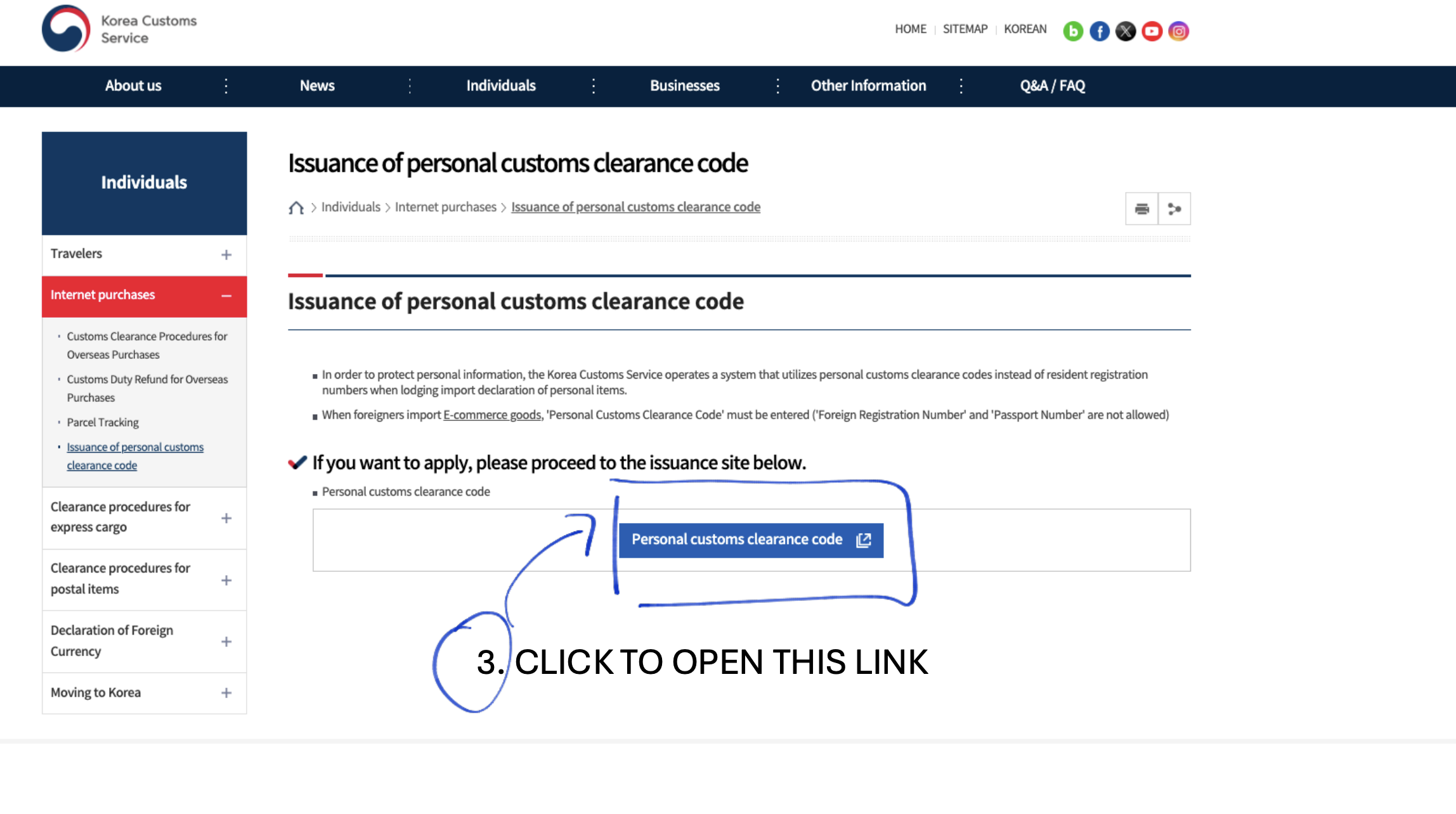
Step 2: Start the Application
- On the Korea Customs Service page, click the blue button
“Personal customs clearance code”
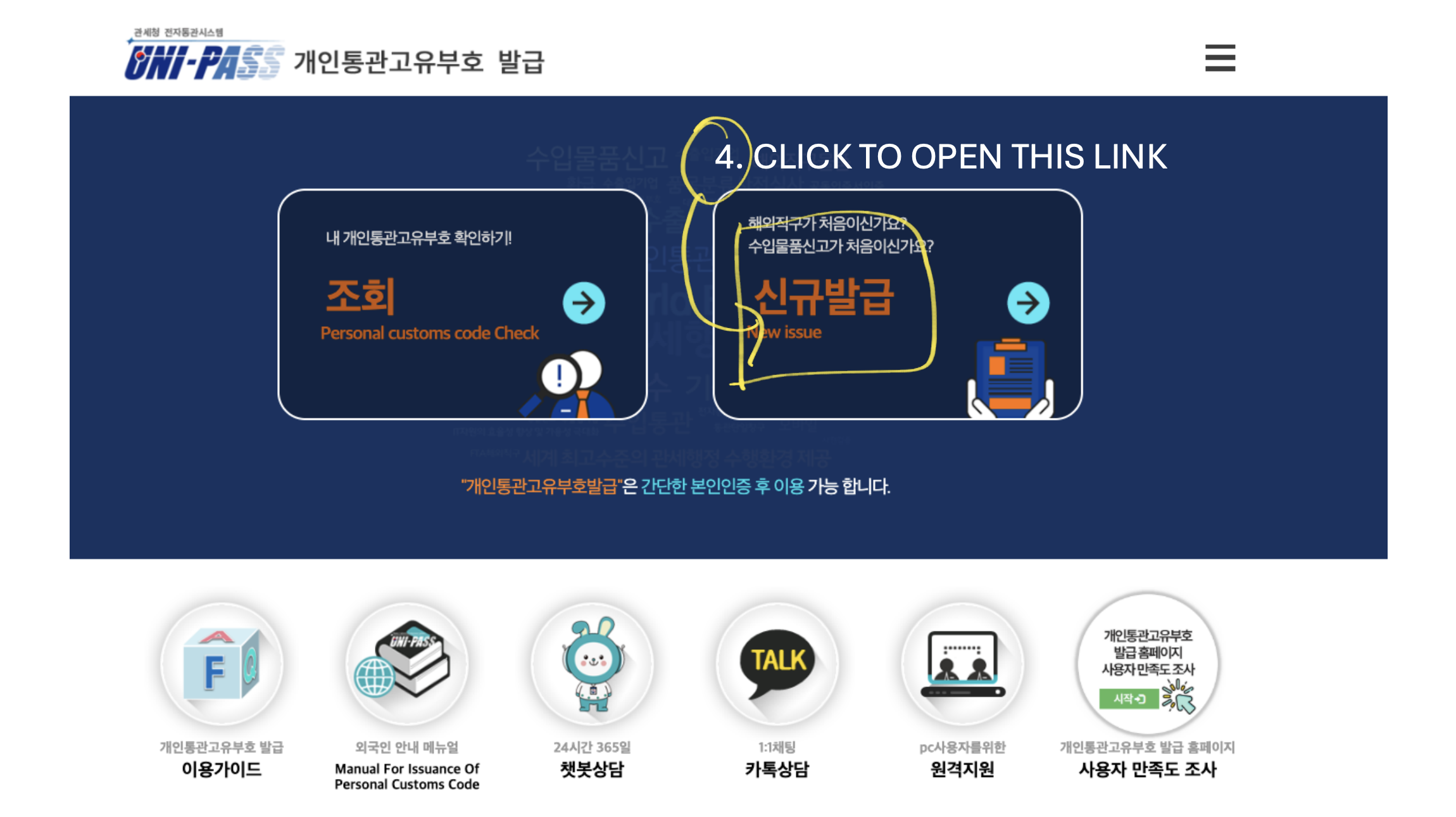
Step 3: Select New Issue
- Choose 신규발급 (New Issue)
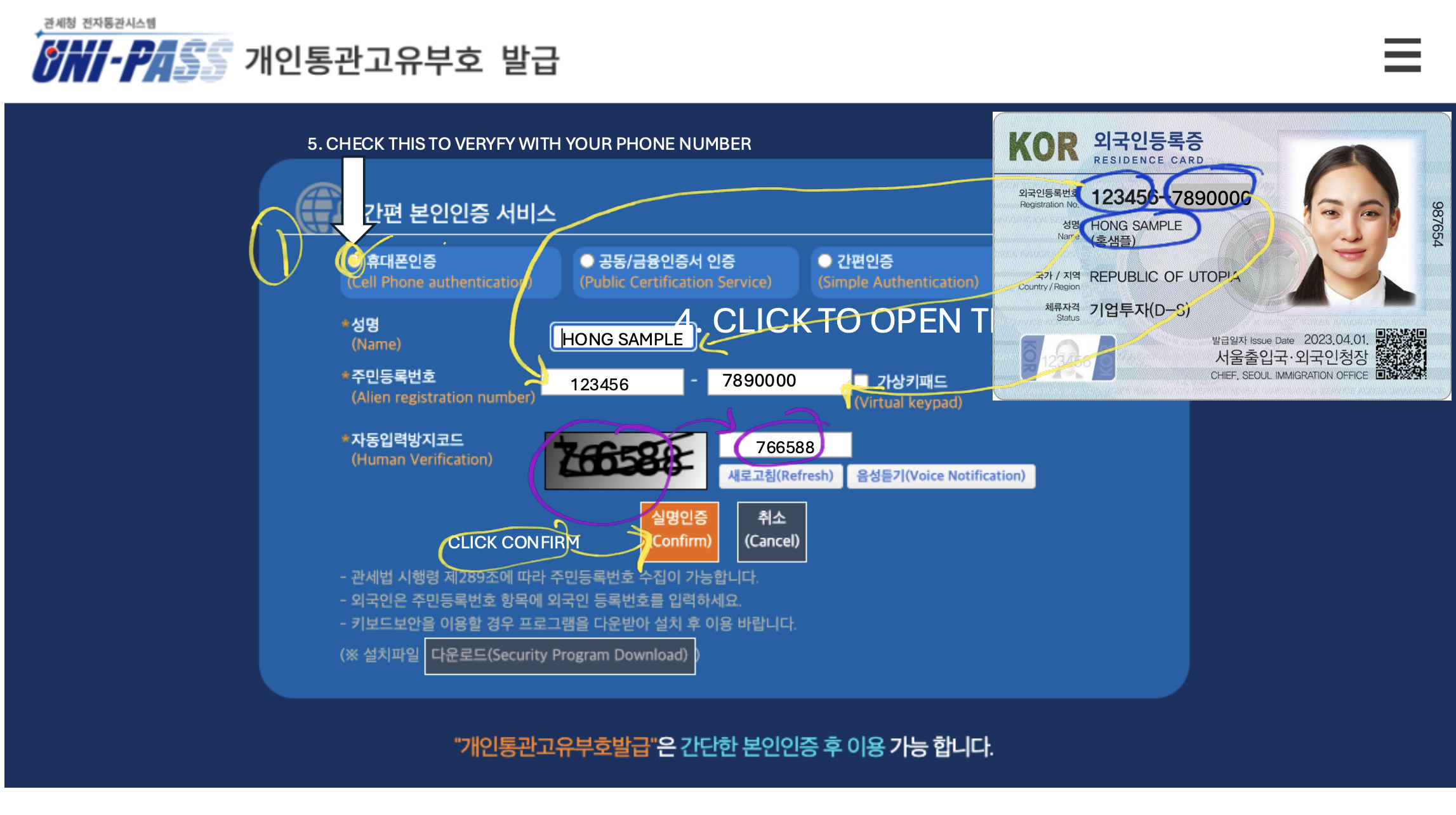
Step 4: Identity Verification
- Select 휴대폰인증 (Cell Phone Authentication)
- Enter:
- Name: ALL CAPITAL LETTERS (exactly as on ARC)
- Alien Registration Number
- Security code (CAPTCHA)
- Click 실명인증 (Confirm)
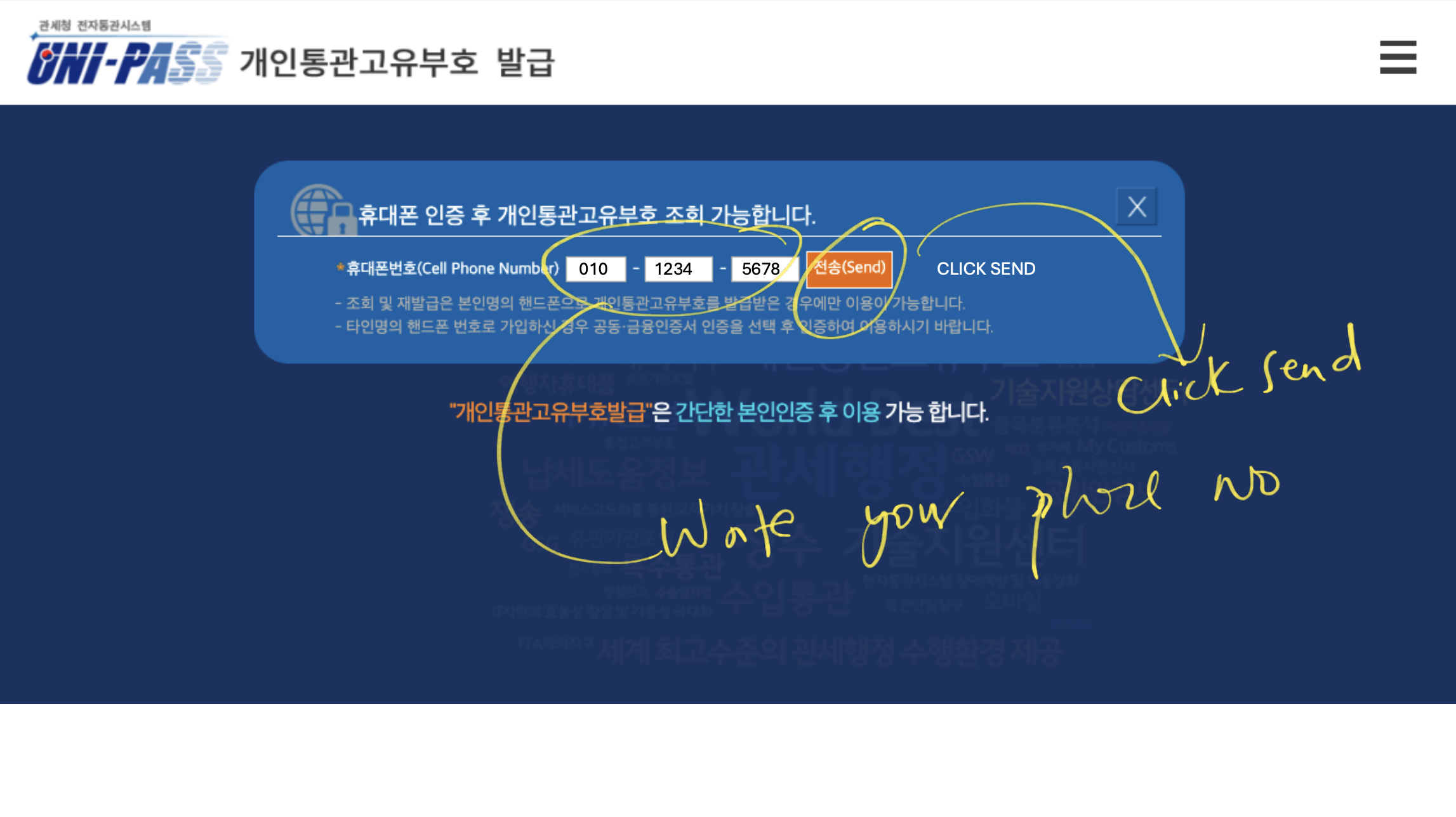
Step 5: Phone Verification
- Enter your mobile number (e.g., 010-1234-5678)
- Click 전송 (Send)
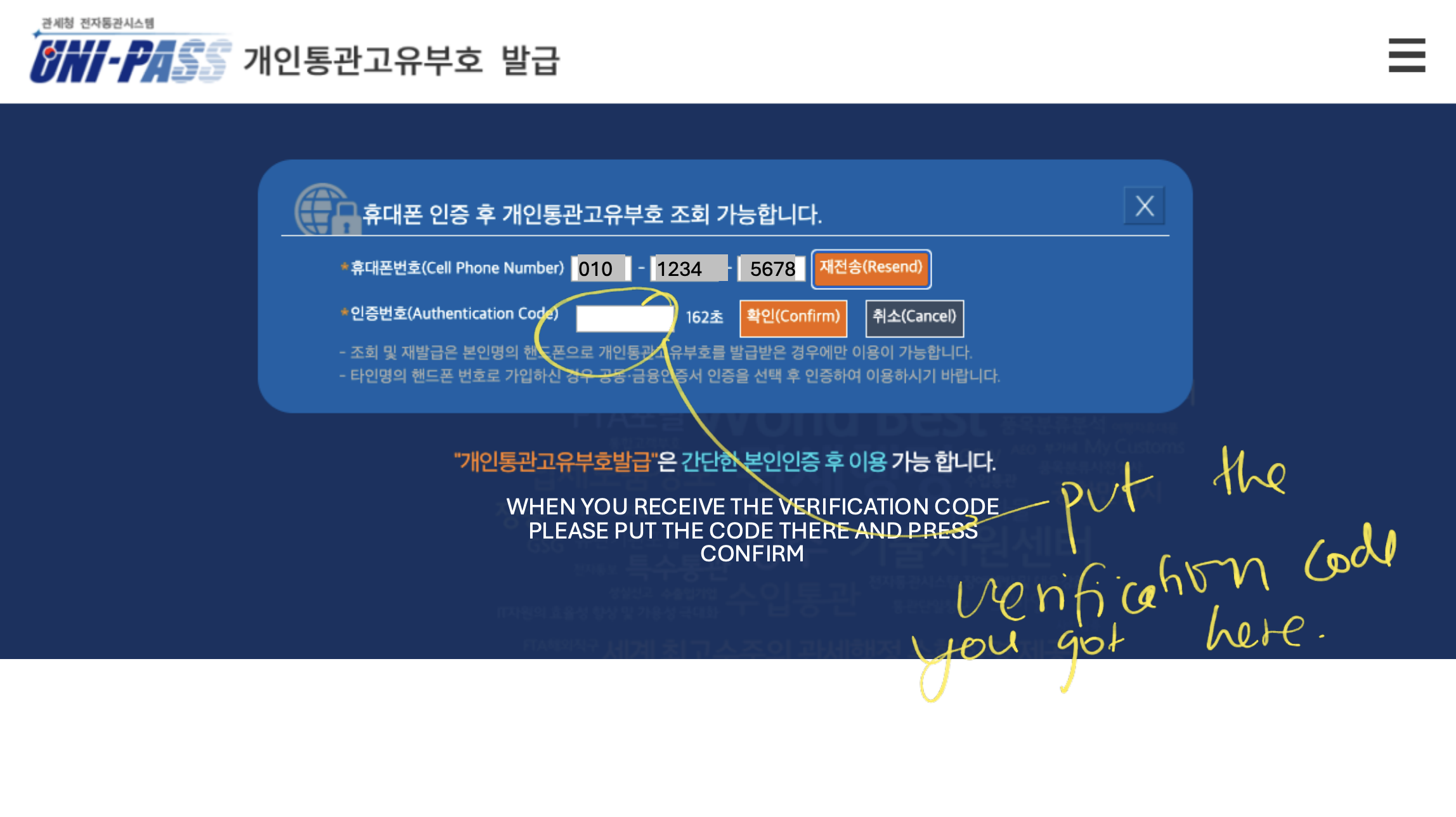
Step 6: Enter Verification Code
- Enter the SMS authentication code
- Click 확인 (Confirm)
Step 7: Fill in Contact Details
- Confirm or enter:
- Phone number
- Email address
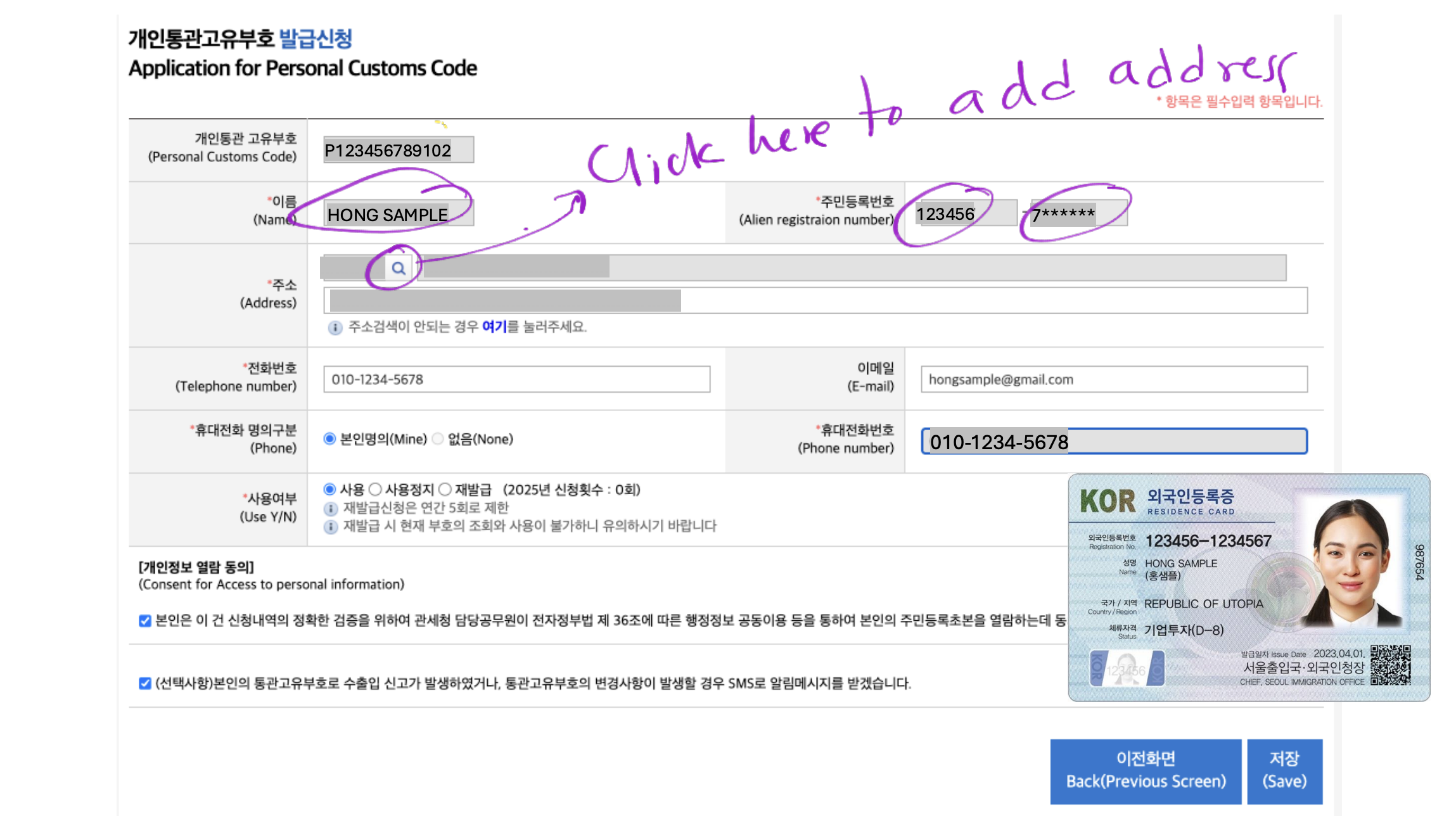
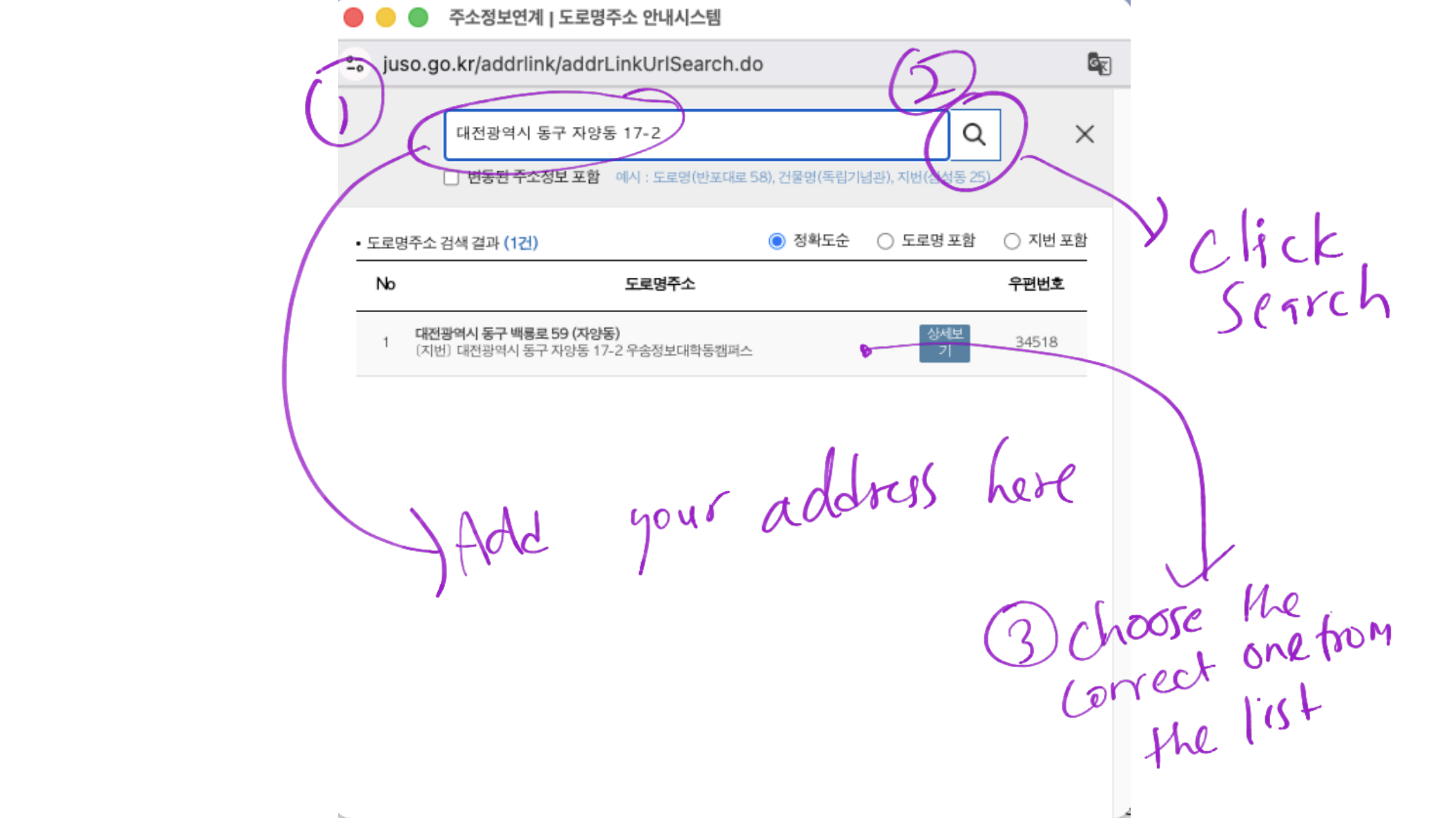
Step 8: Address Search
- Click the 🔍 magnifying glass next to the address field
- This opens the official Korean address search system
Dormitory shortcuts (optional):
- Solgeo Dormitory:
대전광역시 동구 자양동 17-2
→ Add:우송대학교 동캠퍼스 솔지오 기숙사 (E8동) - International Dormitory W3:
대전광역시 동구 동대전로 171
→ Add:국제기숙사 W3
Select the correct address from the results.
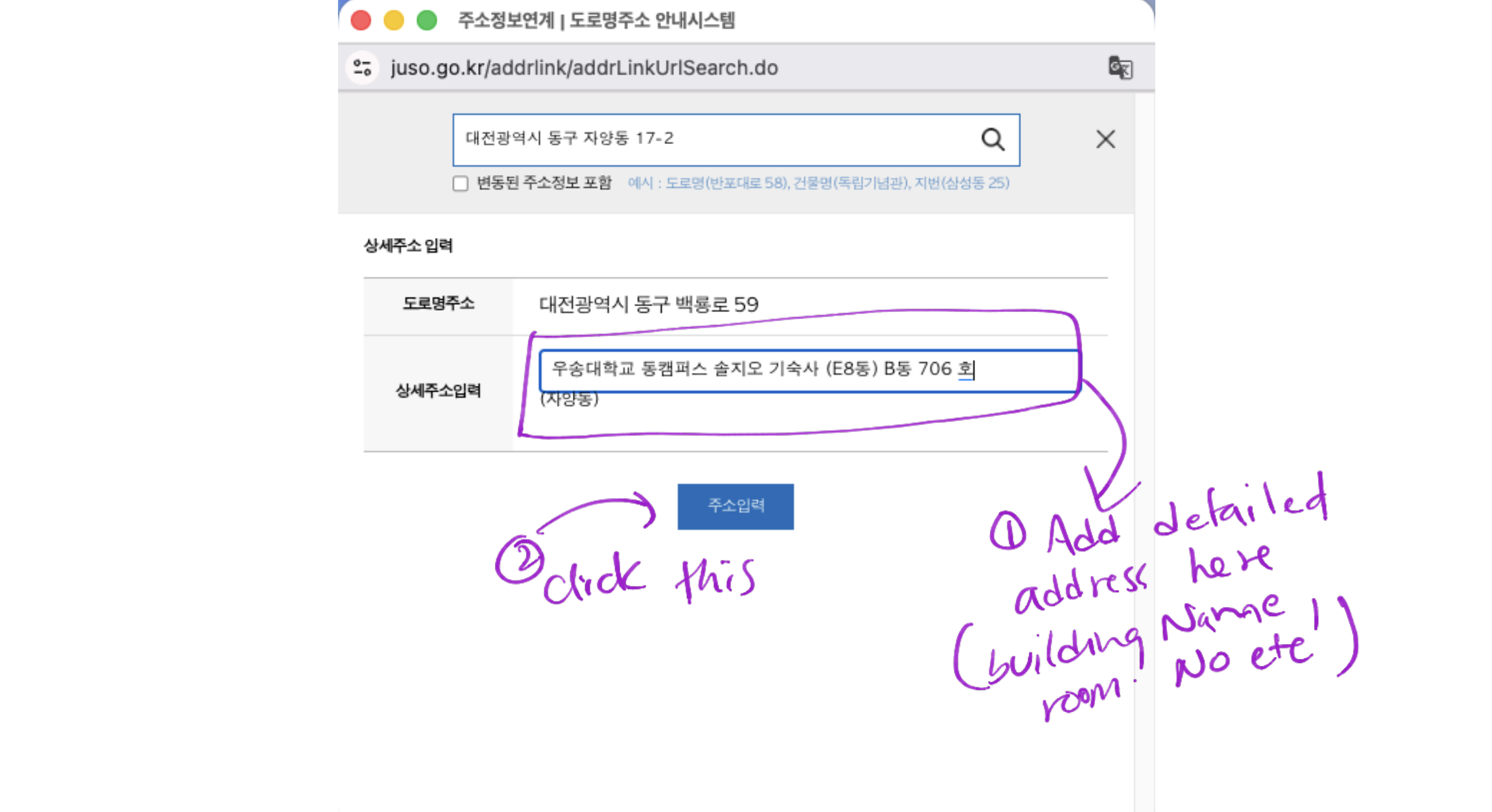
Step 9: Enter Detailed Address
- Add building name, room number, etc.
- Click 주소입력 (Enter Address)
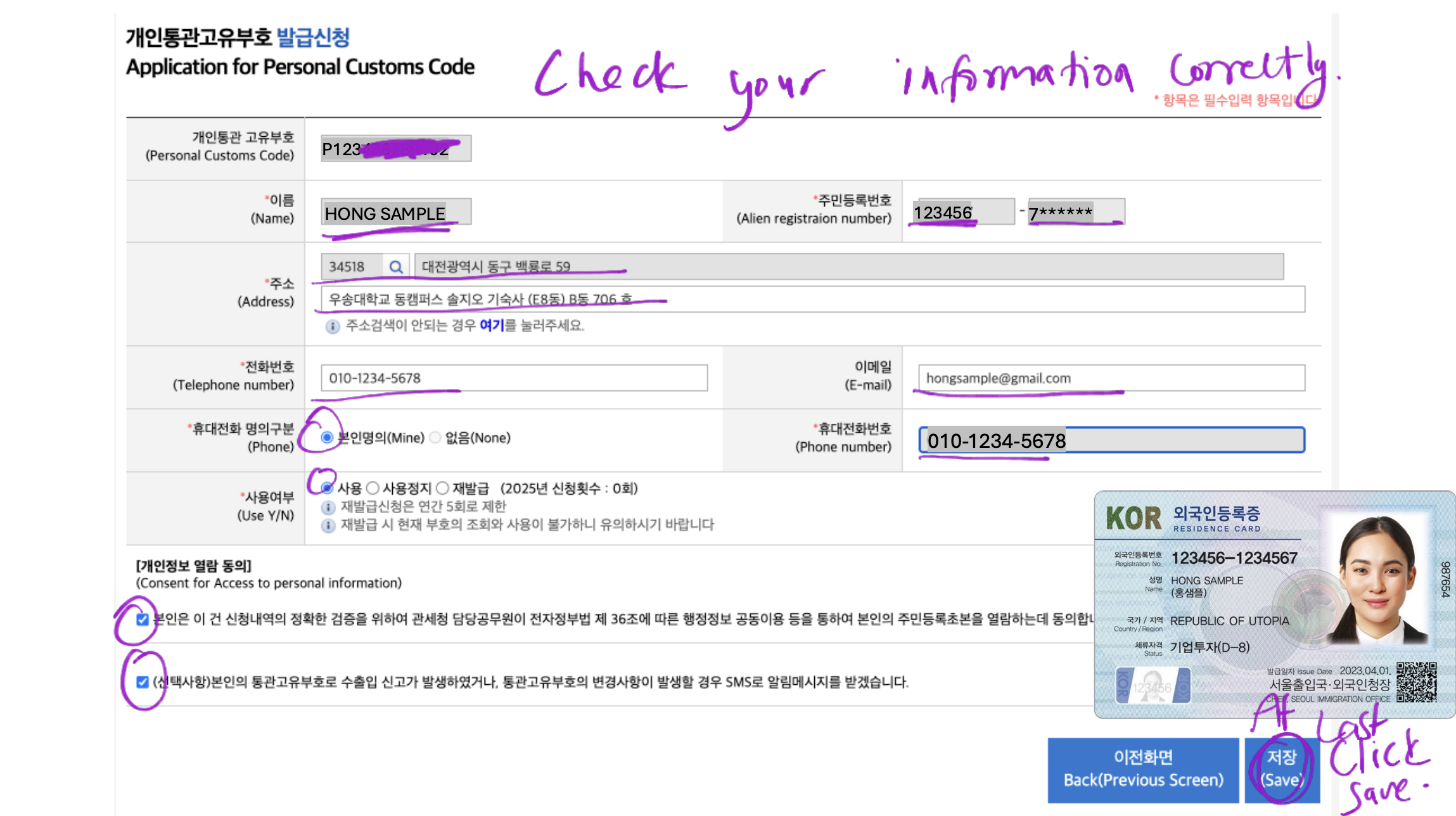
Step 10: Review & Submit
- Double-check:
- Name ( MUST BE WRITTEN JUST LIKE ARC CARD ALL CAPS)
- ARC number
- Phone number
- Full address
- Tick all consent boxes
- Click 저장 (Save)
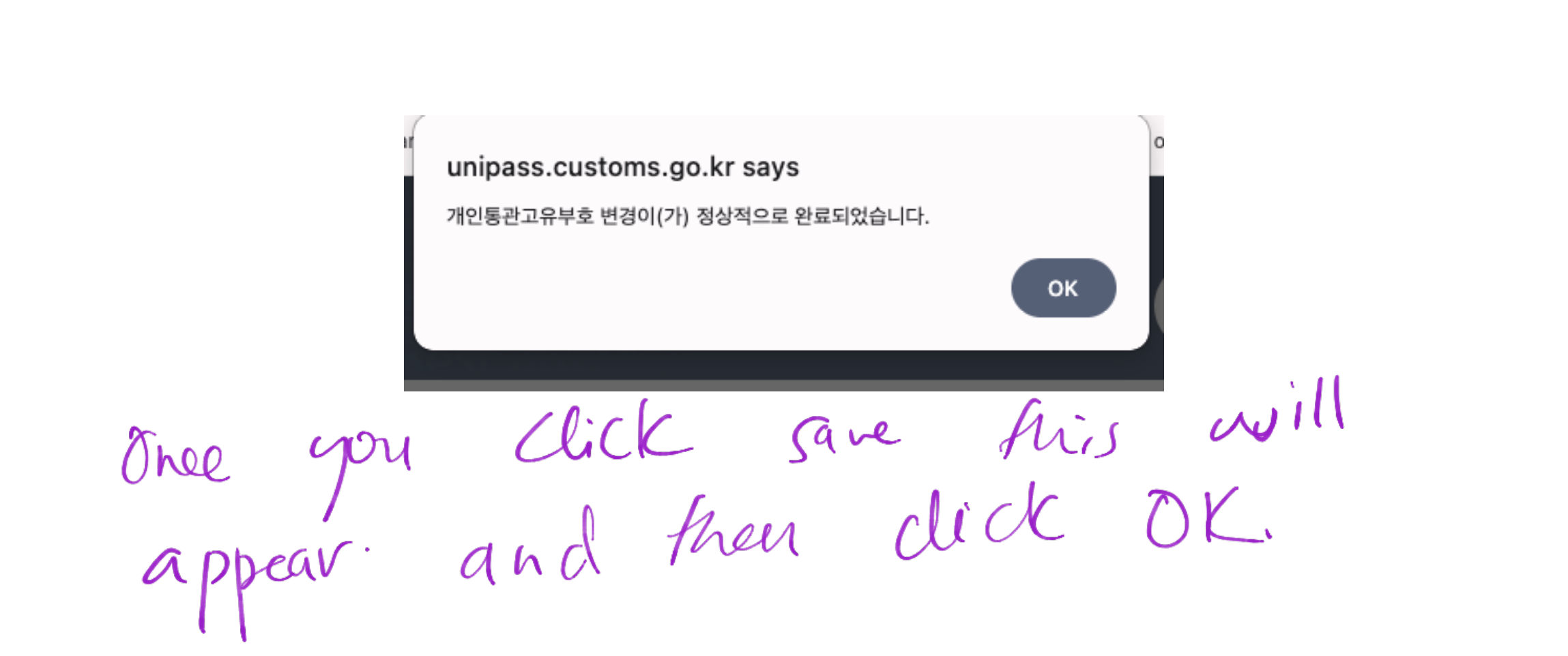
Step 11: Confirmation
- A pop-up confirms successful issuance
- Click OK
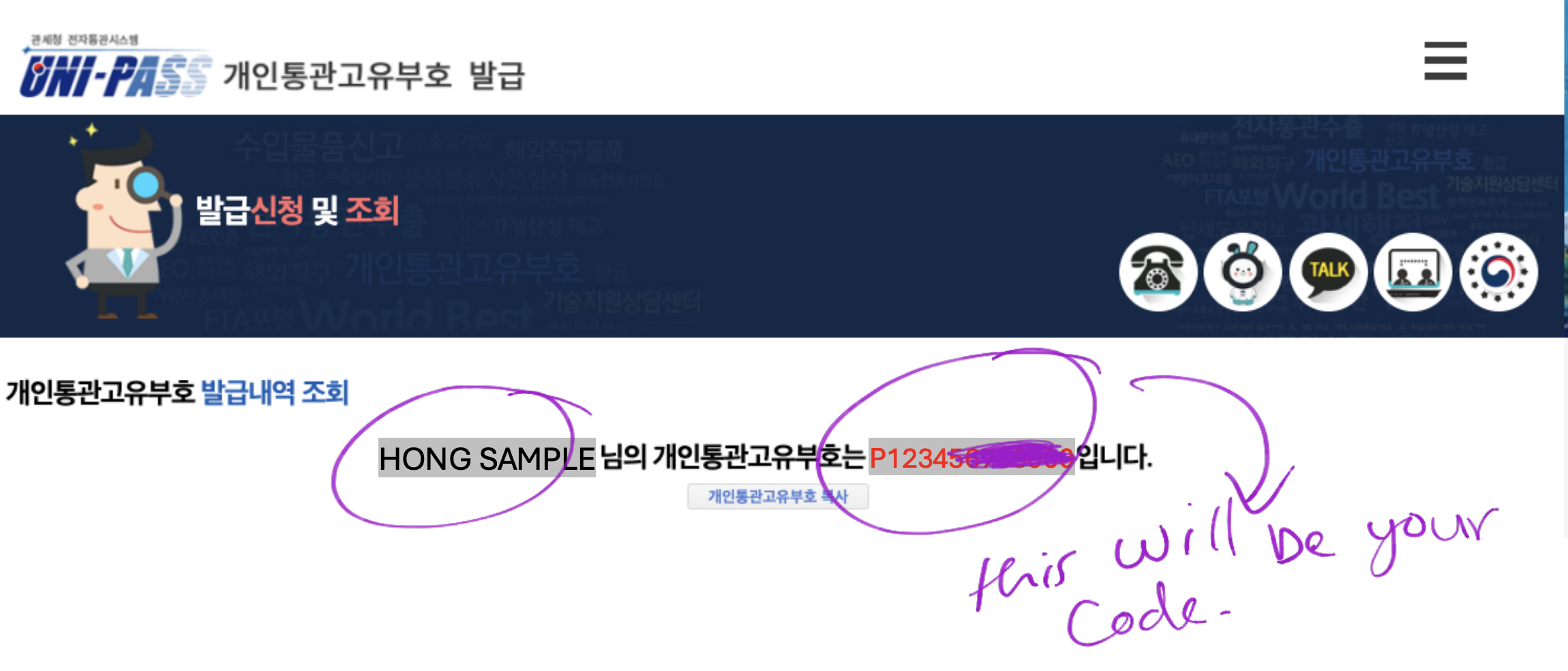
Step 12: Copy Your PCC Code
- Your PCC Code will appear (e.g., P123456789012)
- Copy it and store it securely
- You’ll need this code every time you order from overseas
Quick Troubleshooting
- ❌ Verification fails → phone not linked to ARC
- ❌ SMS not received → SIM inactive or blocked
- ❌ Name mismatch → not typed exactly as ARC
Fix these first before retrying.
Post-Issuance Notes
- PCC Code is reusable
- No expiration unless personal details change
- Use the same code across all international shopping platforms
That’s it! You’ve successfully created your PCCC. From now on, shopping internationally in Korea will be much smoother. Just don’t forget to copy down your code and keep it handy.