
Transportation

Complete Guide to Daejeon Tashu (FREE BICYCLE RIDE)
Learn how to register, verify your identity, and enjoy free bike rides around Daejeon with our step-by-step guide.
Published June 17, 2026
by Sagar
Daejeon Tashu is a free public bike-sharing service. This complete guide covers registration, identity verification, and how to maximize your 1-hour free daily ride with practical tips and troubleshooting.
📌 What is Daejeon Tashu?
Daejeon Tashu is Daejeon’s official public bike-sharing service operated by the city government. It offers one of the most affordable and convenient ways to travel around the city.
 Key Benefits
Free ride: Enjoy 1 hour of free cycling time
Affordable: Additional hours are very reasonably priced
Convenient: Multiple bike stations throughout Daejeon
Eco-friendly: Zero emissions transportation
Perfect for: Students, residents, tourists, and daily commuters
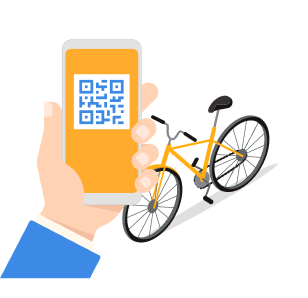
🎯 Before You Start - What You’ll Need?
Required Documents & Information
Korean phone number (starting with 010) or international number
Alien Registration Card (ARC) or valid ID
Smartphone with the Tashu app installed
Active mobile service to receive SMS verification codes
Important Note ⚠️
If you’re using a Budget SIM (알뜰폰), keep this in mind for Step 6 - you’ll need to select the correct carrier provider
Step 1: Download & Open the Tashu App
The first step is to get the official Tashu application on your phone. This is your gateway to accessing bike stations and managing your account.
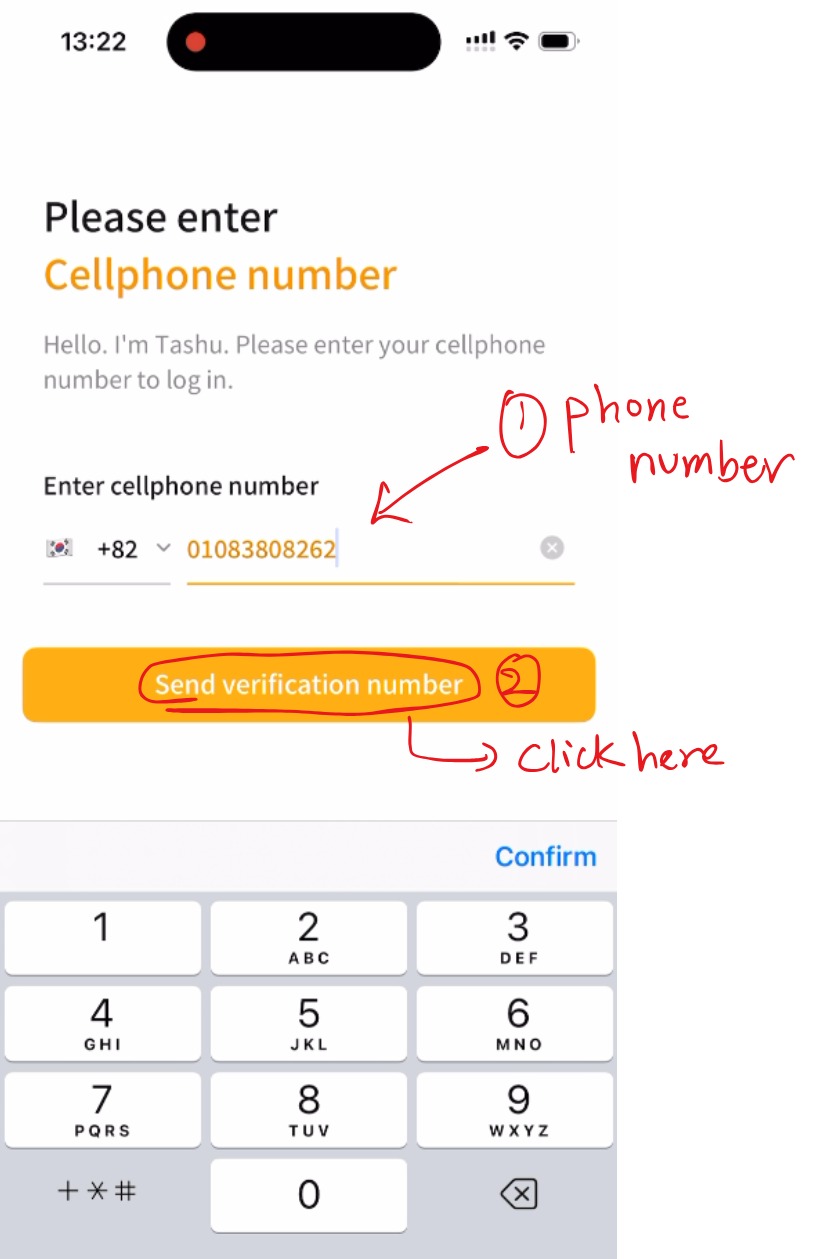
Step 2: Enter Your Phone Number for Verification
The app requires phone verification to ensure you’re a real person and to maintain security. This is the foundation of your Tashu account.
Sub-Steps:
1. Open the Tashu app
2. Enter your Korean phone number (starting with 010)
3. Tap Send verification number
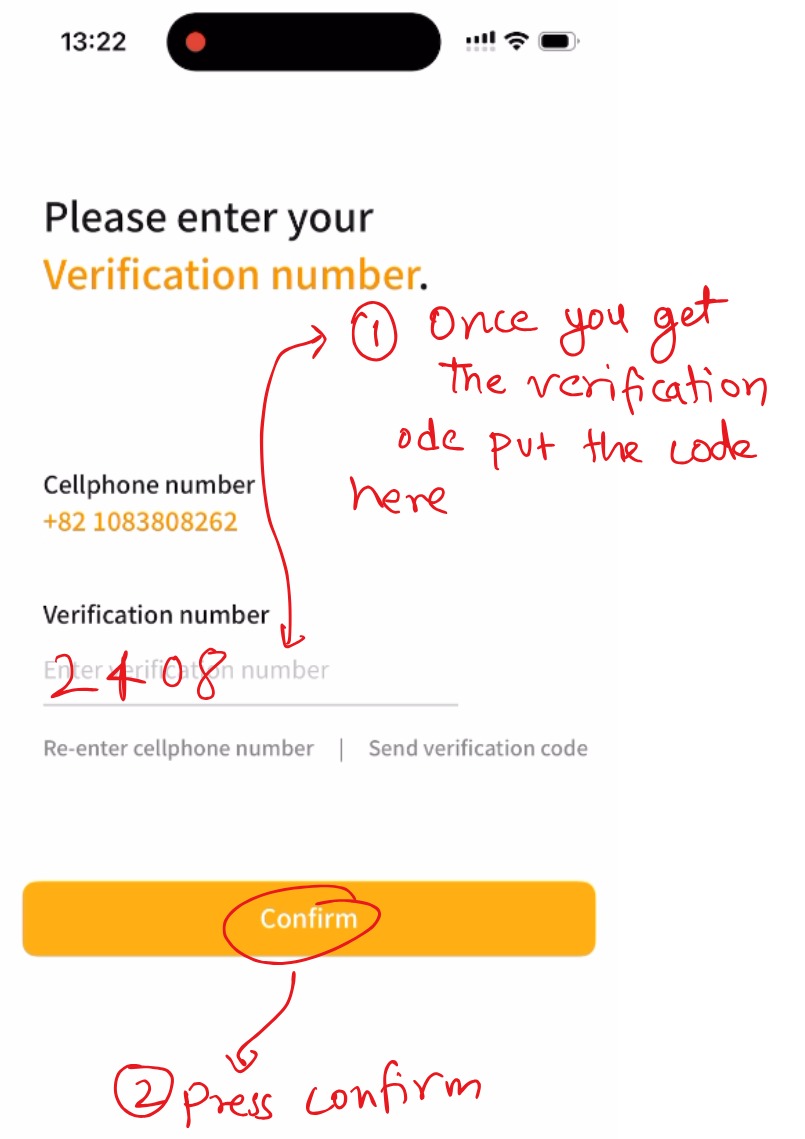
Step 3: Enter the Verification Code
- A 4-digit code will arrive via SMS
- Enter the code
- Tap Confirm
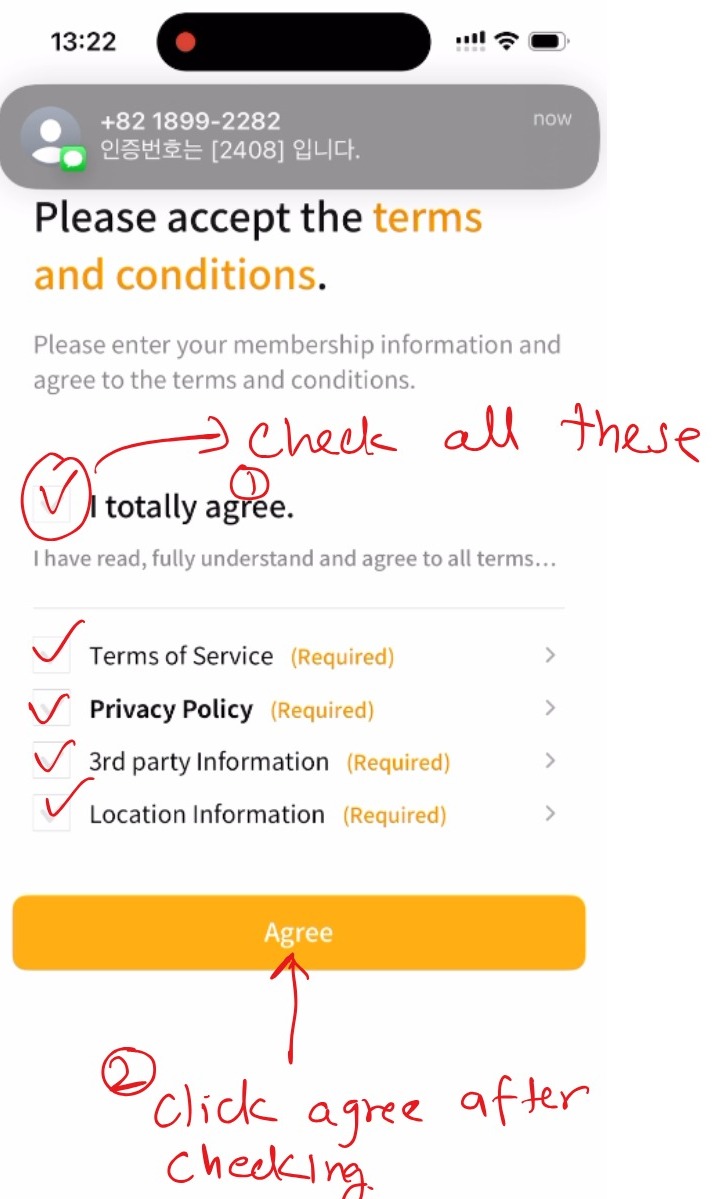
Step 4: Review and Accept Terms of Service
Check all required agreements:
-Terms of Service
-Privacy Policy
-Third-party information
-Location services
Tap Agree
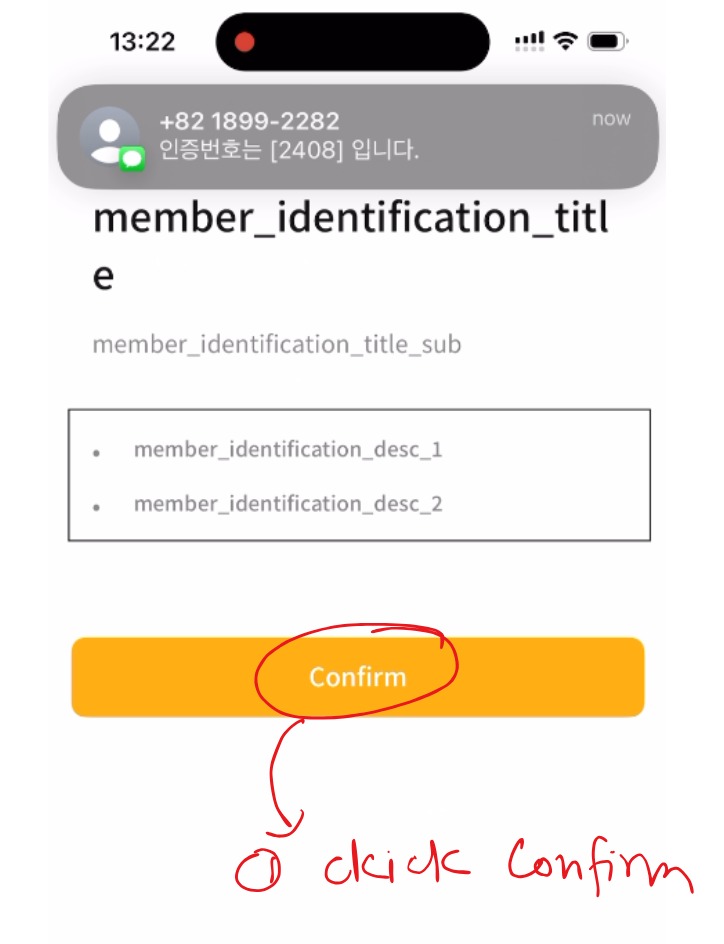
Select SMS Verification Method
-Tap Confirm to proceed to identity verification
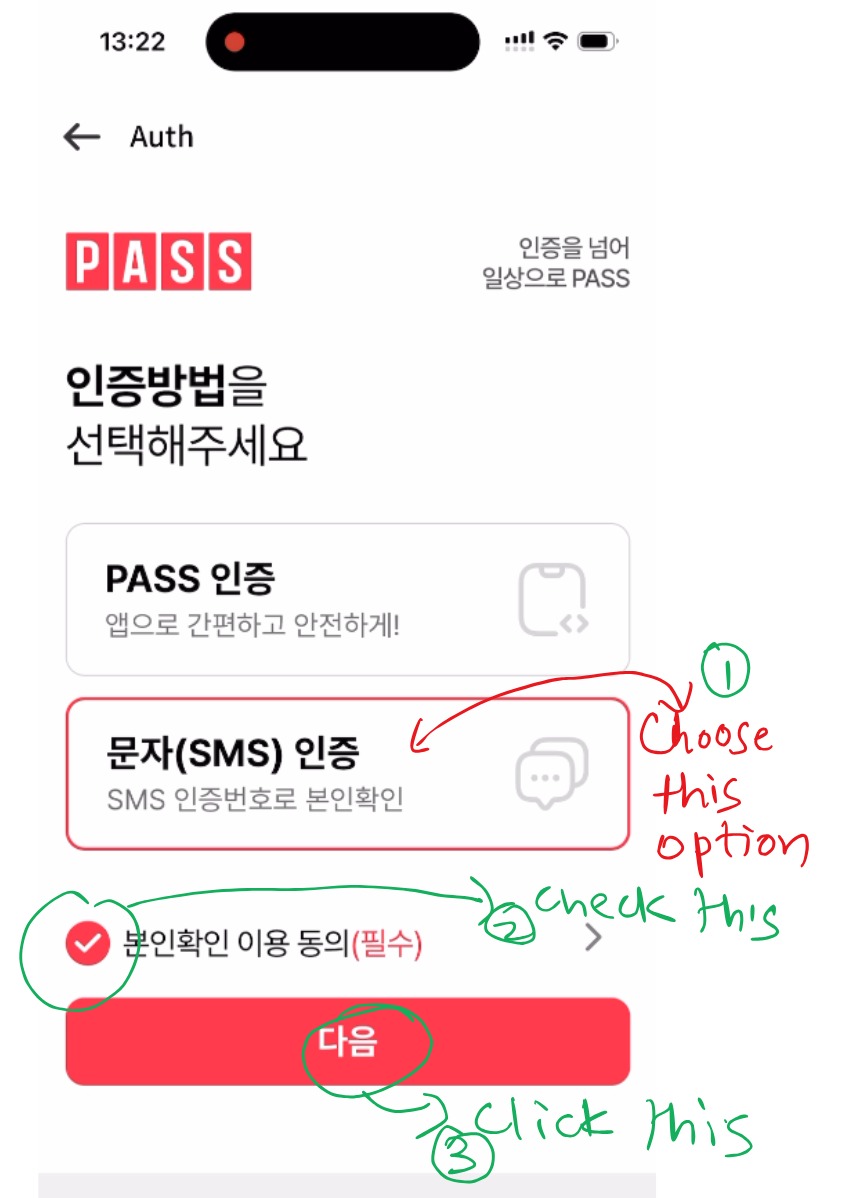
Step 5: Select SMS Verification Method
-Choose SMS Verification (PASS)
On the PASS verification screen:
-Select 문자 (SMS) 인증
-Check the required consent box
-Tap Next (다음)
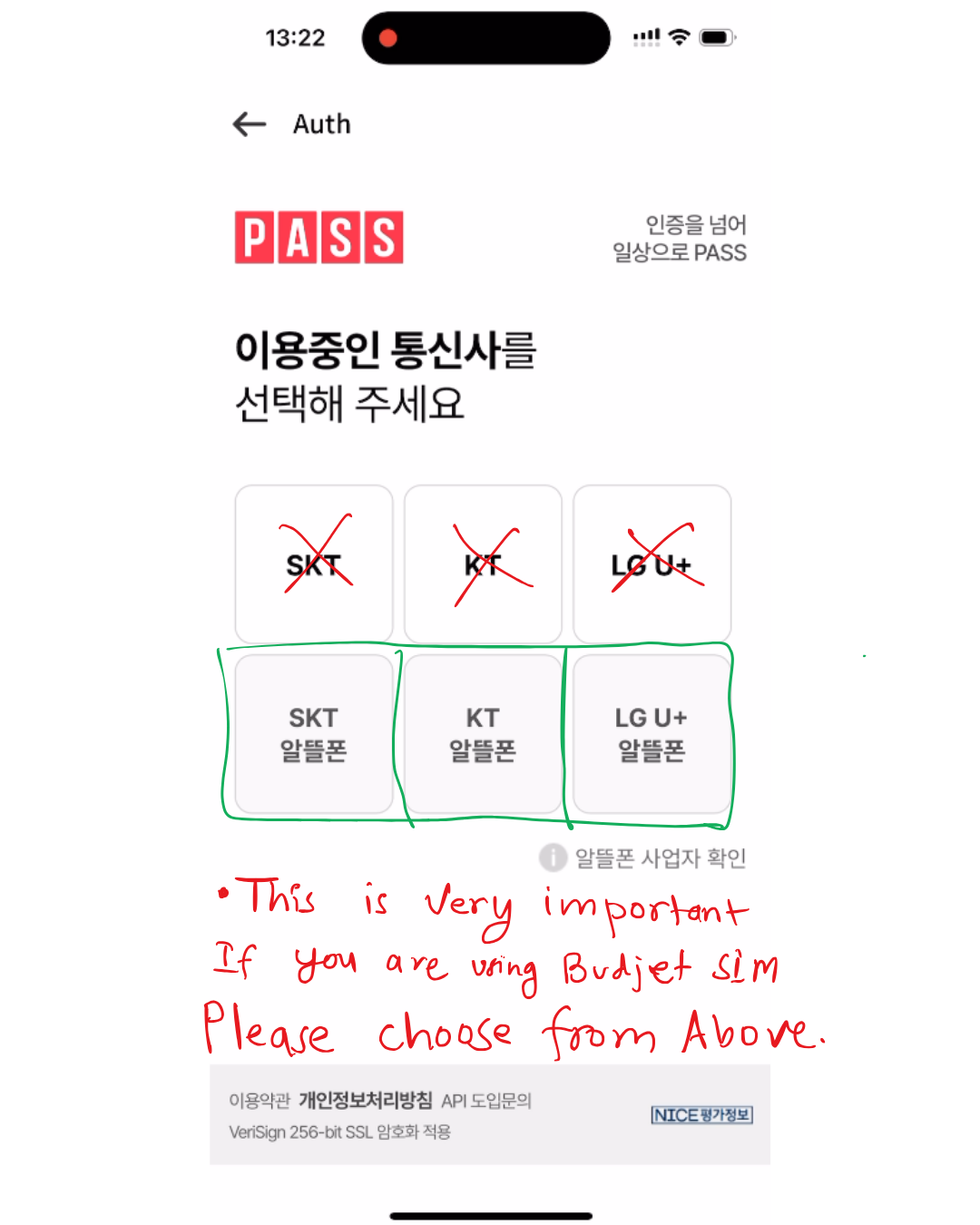 Step 6: Select Your Telecom Carrier (CRITICAL STEP)
Korea has three major carriers and multiple budget providers. Selecting the correct one is crucial - choosing the wrong carrier will cause verification to fail. This step is especially important for budget SIM users.
For Standard Carrier Users (SKT, KT, LG U+):
You’ll see a list of carriers
Select the carrier that matches your SIM:
SK텔레콤 (SKT), KT, LG유플러스 (LG U+)
⚠️ IMPORTANT FOR BUDGET SIM USERS (알뜰폰):
DO NOT select the standard carrier names
Scroll down to see budget provider options and select the correct budget carrier:
-SK텔레콤 알뜰폰 (SKT Budget)
-KT 알뜰폰 (KT Budget)
-LG유플러스 알뜰폰 (LG U+ Budget)
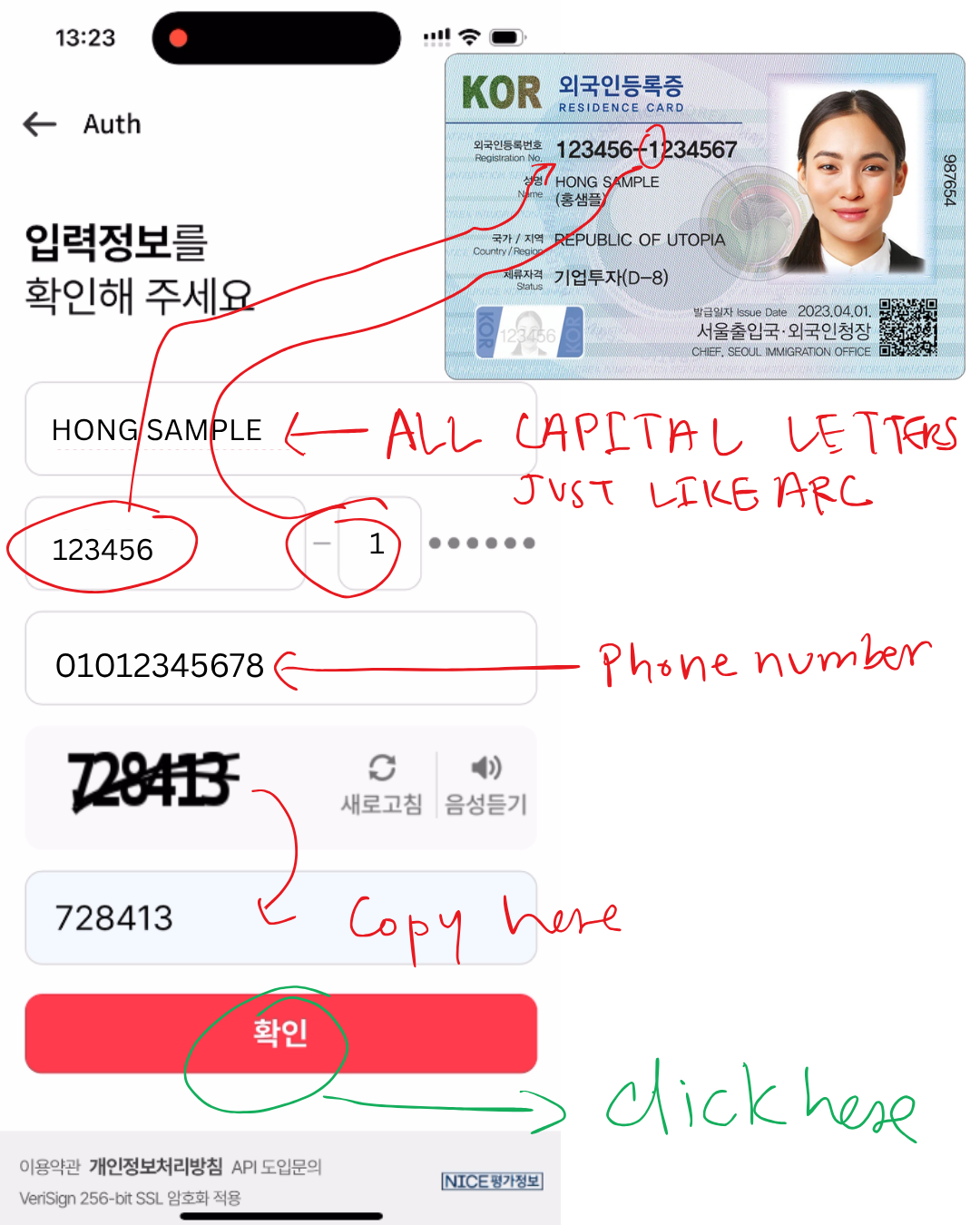 Step 7: Enter Your Personal Information
This step collects your identification details to verify you against government records. Accuracy is absolutely critical - any mistakes will cause verification to fail.
Name Field:
1. Enter your full name EXACTLY as it appears on your ARC or passport
2. Use ALL CAPITAL LETTERS (example: “JOHN SMITH”, not “John Smith”)
- Double-check spelling and spacing
- This must match government records perfectly
3. ARC/ID Number Field:
- For ARC holders: Enter the ARC number in this format:
- First 6 digits + first digit of the second part
Example: If your ARC is “12456-1234567”, enter “123456-7”
4. Phone Number Field:
- Enter the same phone number you used for initial verification
Format: 010xxxxxxxx (with or without hyphens)
CAPTCHA: You’ll see an image with distorted numbers/letters
Enter the characters you see in the text field below
If you can’t read it, click the refresh button for a new CAPTCHA
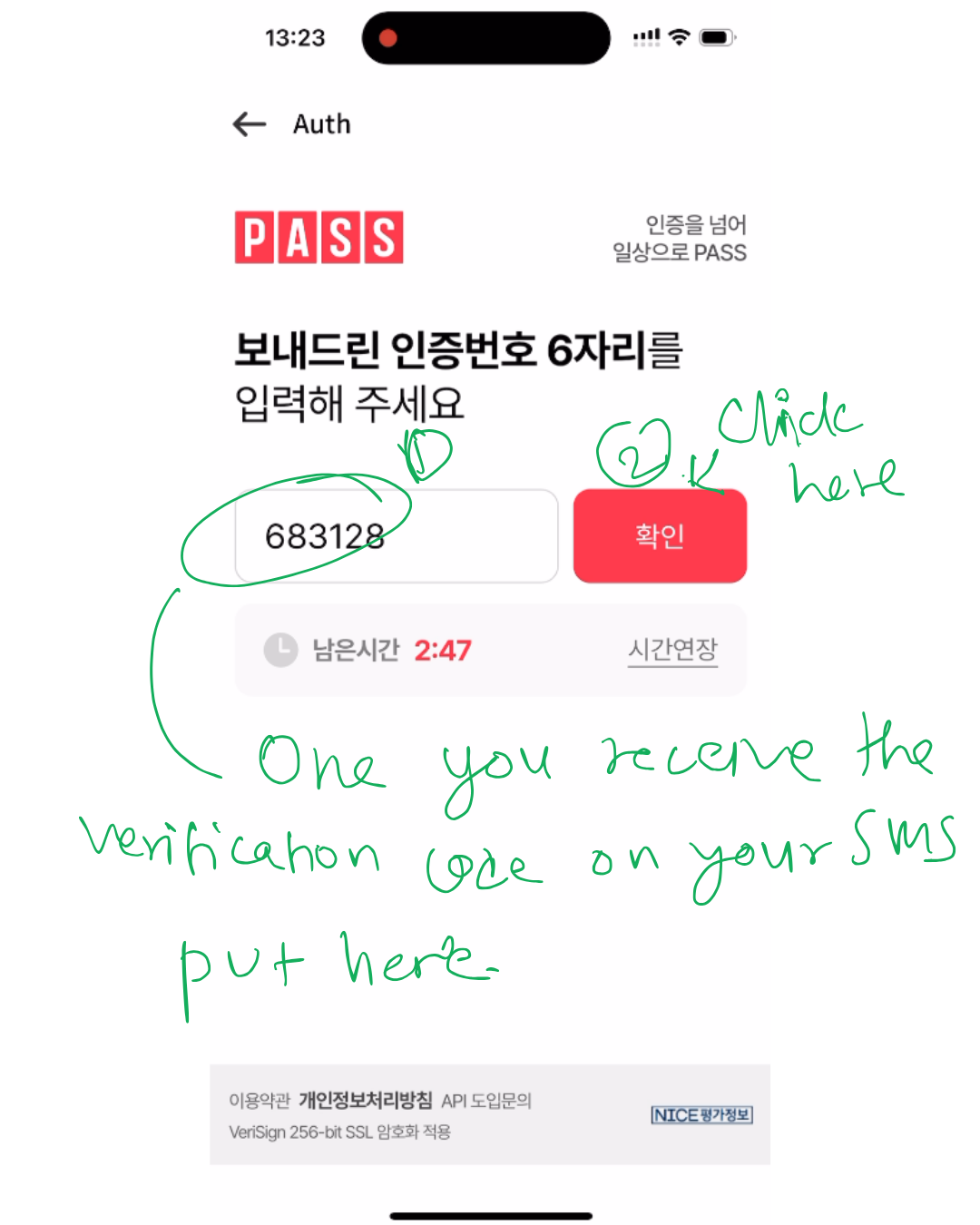 Step 8: Verify the 6-Digit SMS Code
Explanation: This code confirms that you have access to the phone number and prevents unauthorized account access. It’s the final security layer.
Sub-Steps:
After Step 7 succeeds, you’ll receive an SMS with a 6-digit code
Check your text messages for a message from Tashu/Daejeon
Find the 6-digit verification code (different from the earlier 4-digit code)
Return to the Tashu app
Enter the 6-digit code in the input field
Tap “확인” (Confirm) to verify the code
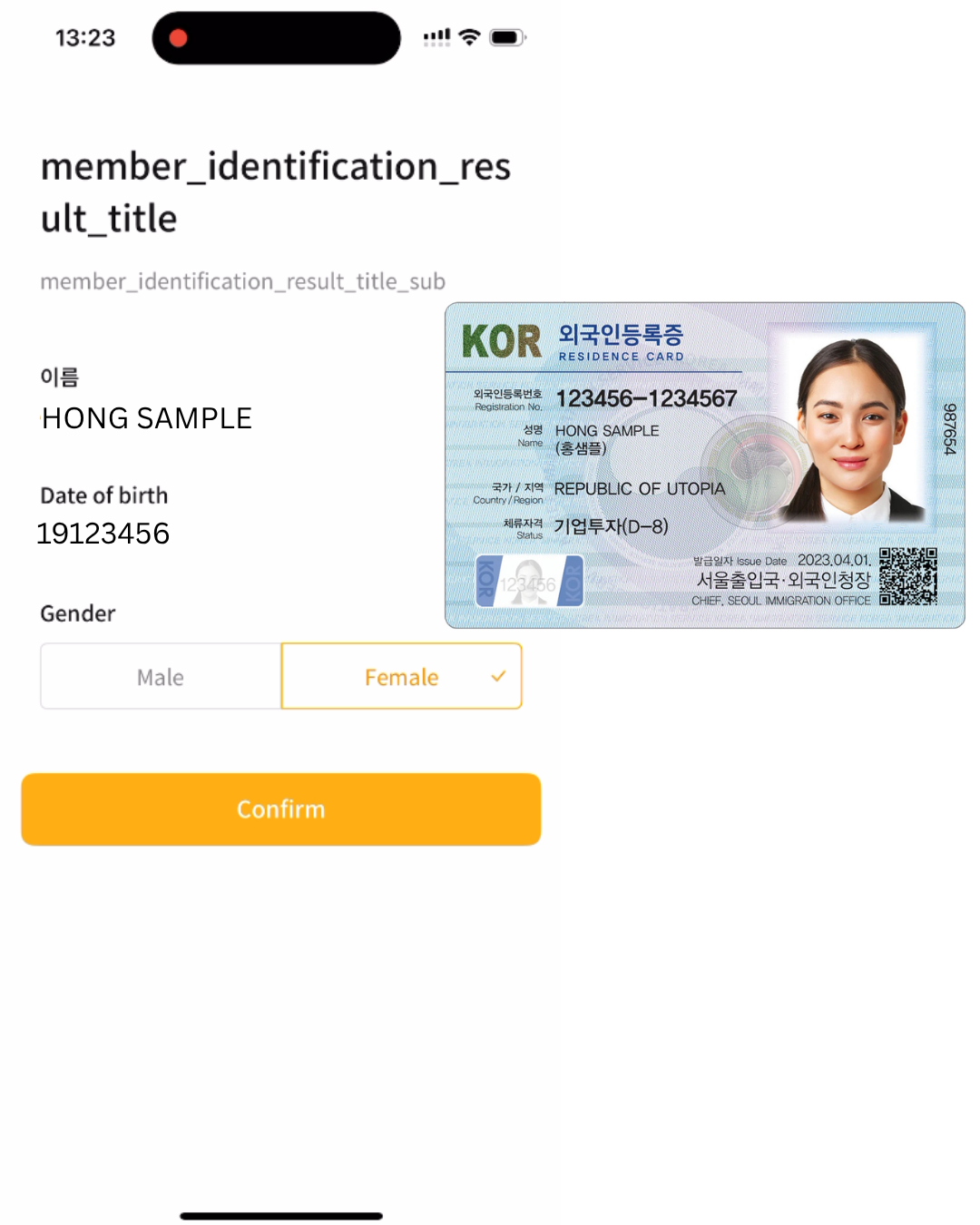 Step 9: Review and Confirm Your Information
Explanation: This final step is a safety measure - the system displays your information so you can verify everything was entered correctly before finalization.
Sub-Steps:
Review the confirmation screen showing:
- Your full name
- Date of birth
- Gender
- Phone number
Check each field carefully for accuracy
If everything is correct:
Tap “확인” (Confirm) or “완료” (Complete)
✅ Verification Complete! You’re Ready to Ride. Congratulations! Your account is now fully verified and activated.
What You Can Now Do:
✅ Log in to Tashu anytime
✅ Locate nearby bike stations on the map
✅ Rent bikes at any station
✅ Return bikes to any official Tashu station
✅ Track your riding history
✅ Enjoy 1 hour of free daily riding time
🚲 Ready to Explore Daejeon!
You’re now fully equipped to use Daejeon Tashu. Enjoy your free ride and explore the city! Download the app today and complete registration at your convenience.
Happy Cycling! 🎉